UNDETECTED
Ghost Full [Rob Run]
Exceeded the number of available keys
Total Price:
3.63 USD
Instant Delivery to Email & Site
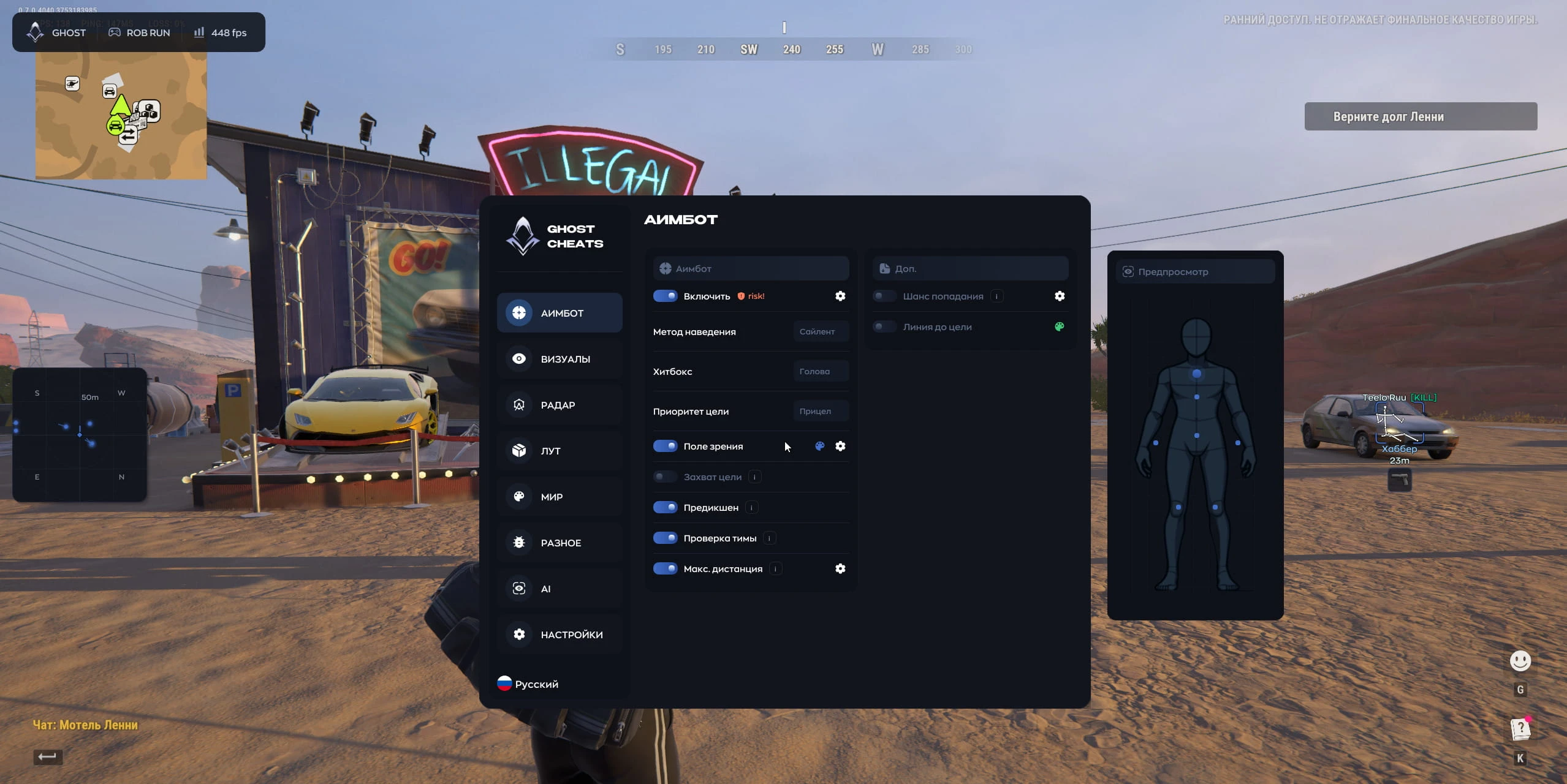
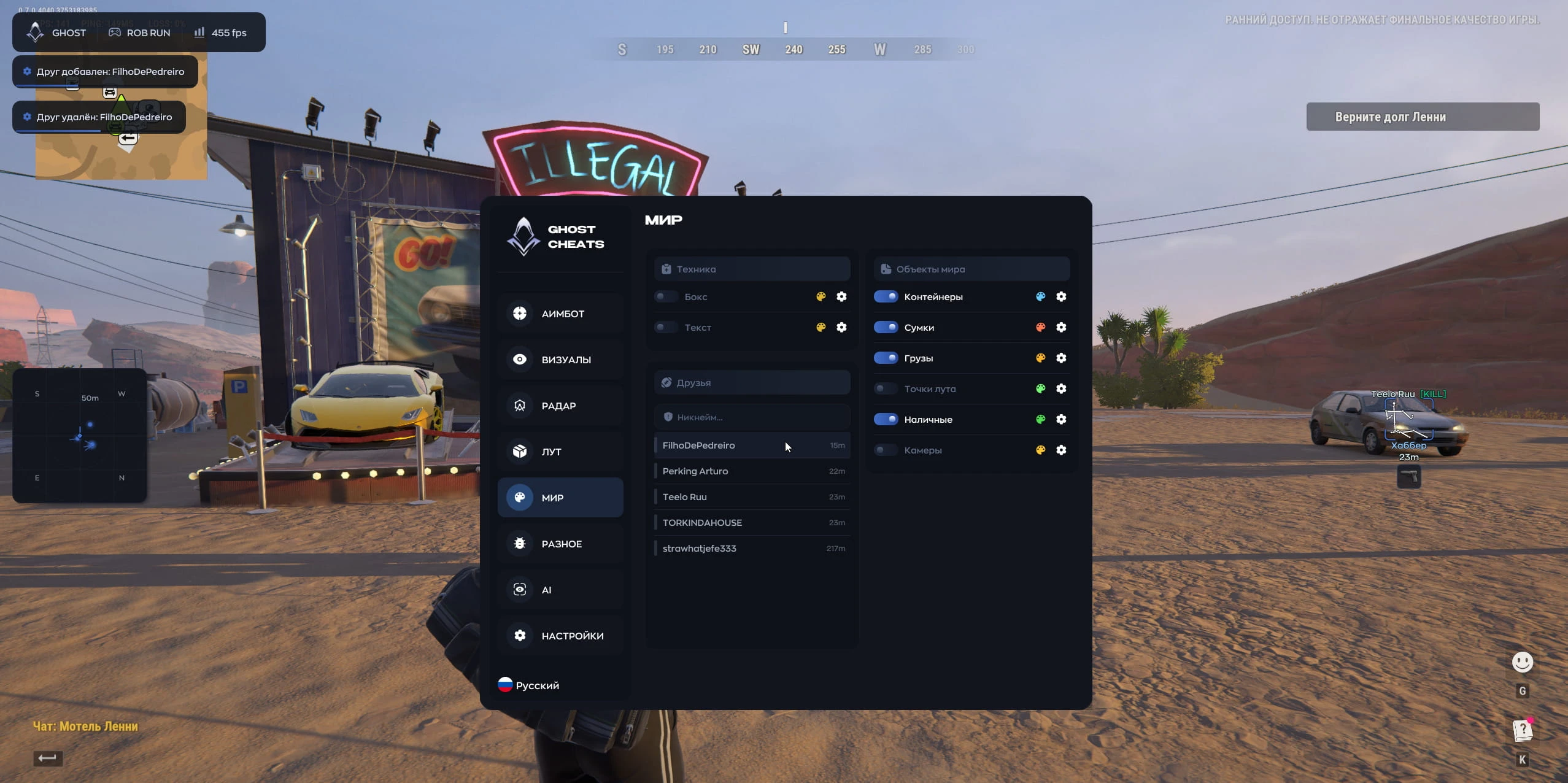
AIMBOT:
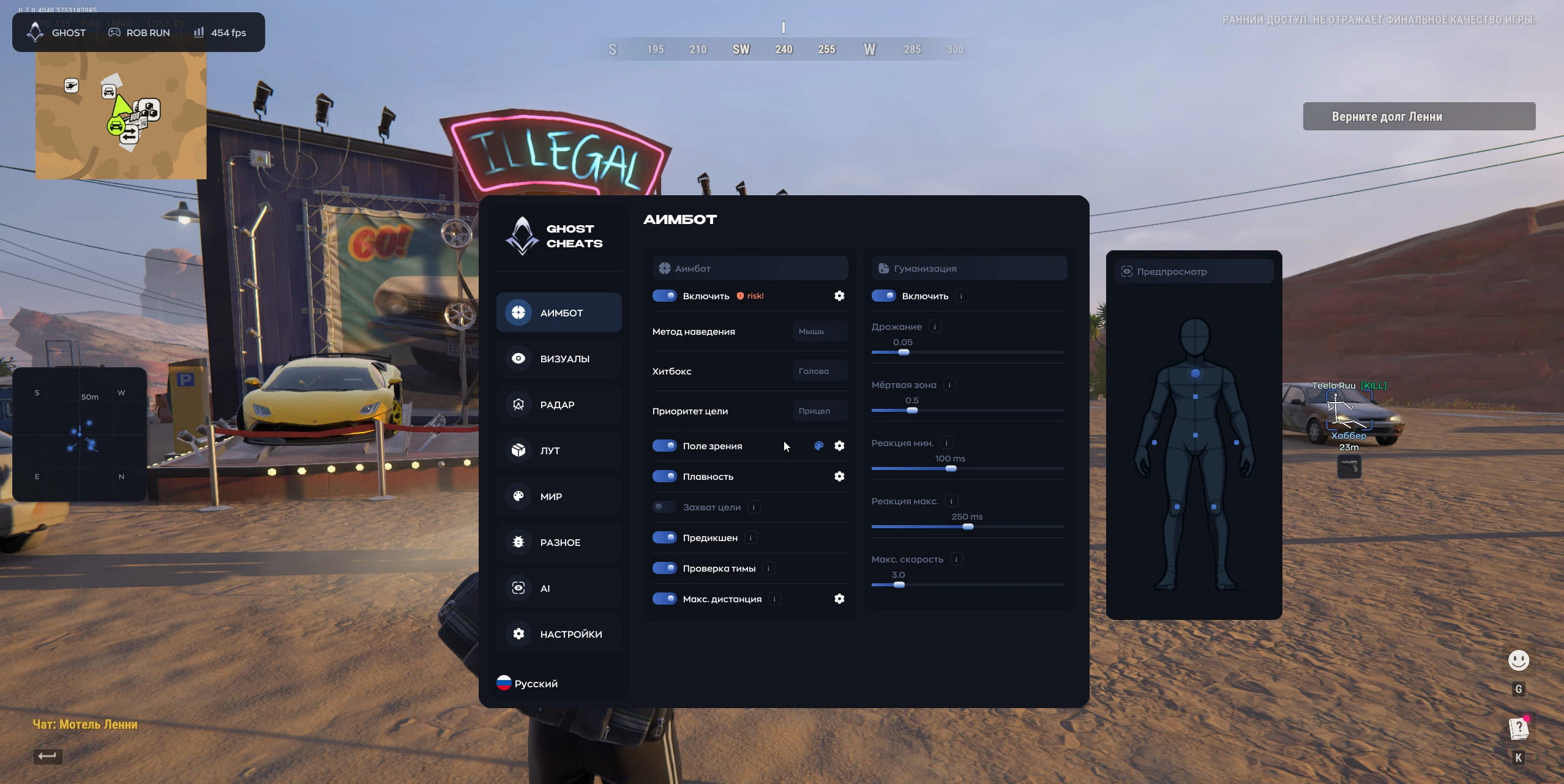
- Enable — Toggle on/off
- Aim Method — Targeting method (Mouse / Silent / Memory)
- Hitbox — The specific body part the aimbot targets
- Target Priority — Criteria for selecting a target
- Field of View — The radius within which the aimbot locks onto targets
- Smoothness — The fluidity of the aiming movement
- Target Lock — Maintains the lock on a target even if it moves outside the field of view
- Prediction — Accounts for target movement to aim ahead of the target
- Team Check — Ignores teammates and allies when targeting
- Max Distance — The maximum range at which the aimbot functions
- Shake — Adds a subtle, jittery motion to the crosshair while aiming
- Dead Zone — A radius around the target within which the crosshair does not move automatically
- Min Reaction / Max Reaction — A delay before the aiming process begins
- Max Speed — Limits the maximum speed at which the camera can turn
- Hit Chance — The probability that the aimbot will intentionally miss
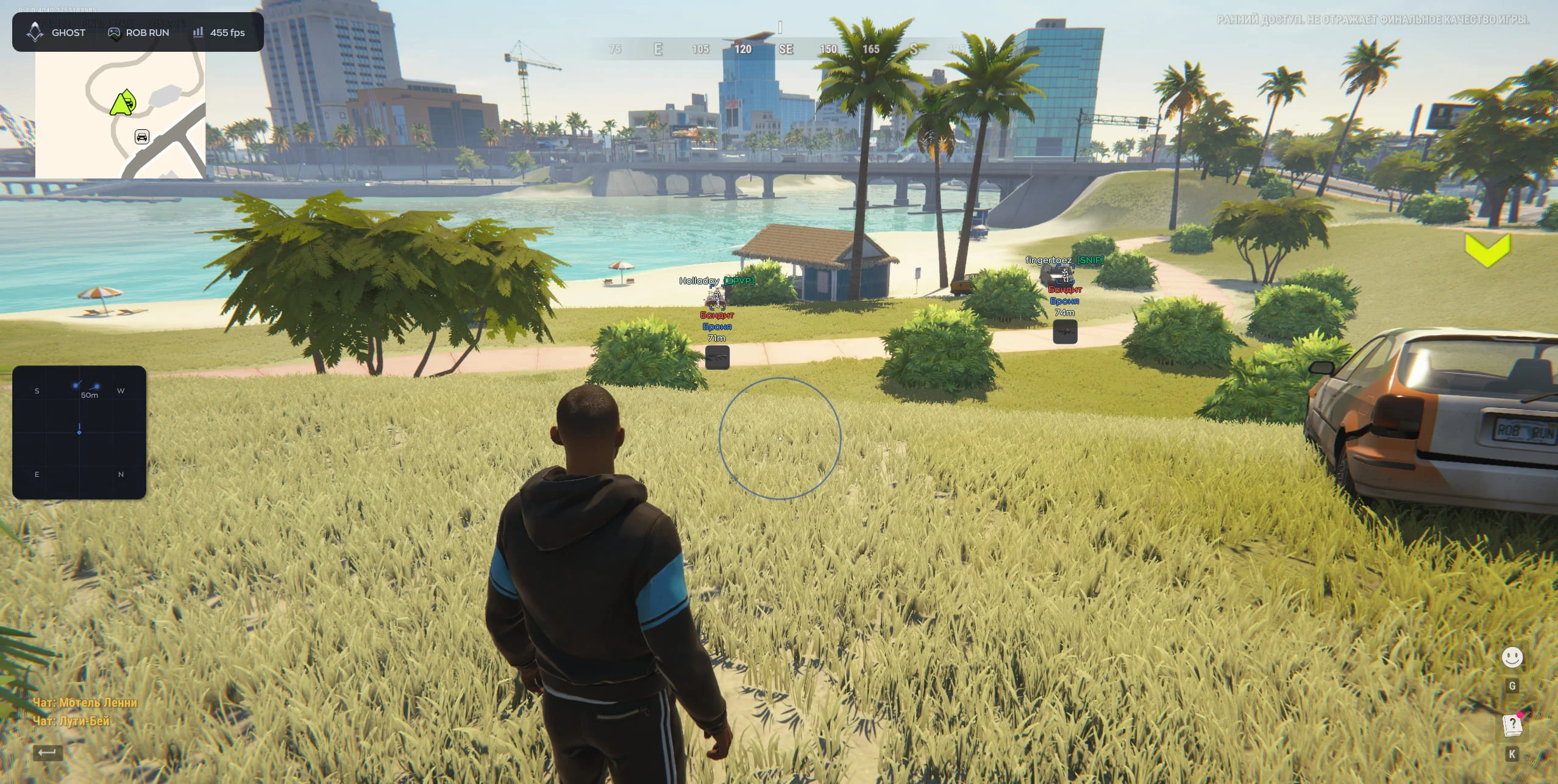
- Line to Target — Draws a visual line from your crosshair to the target
- Preview — A preview window
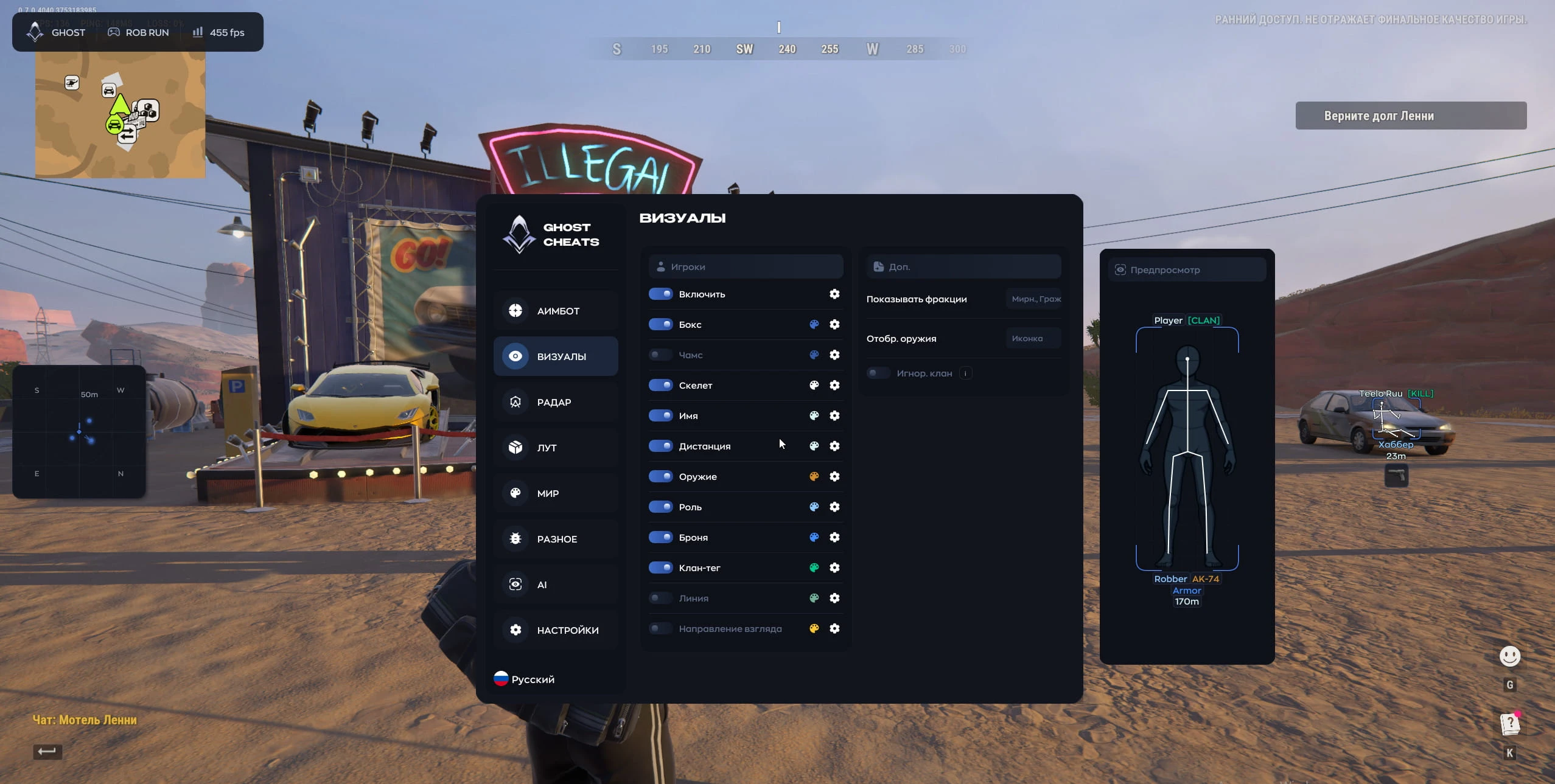
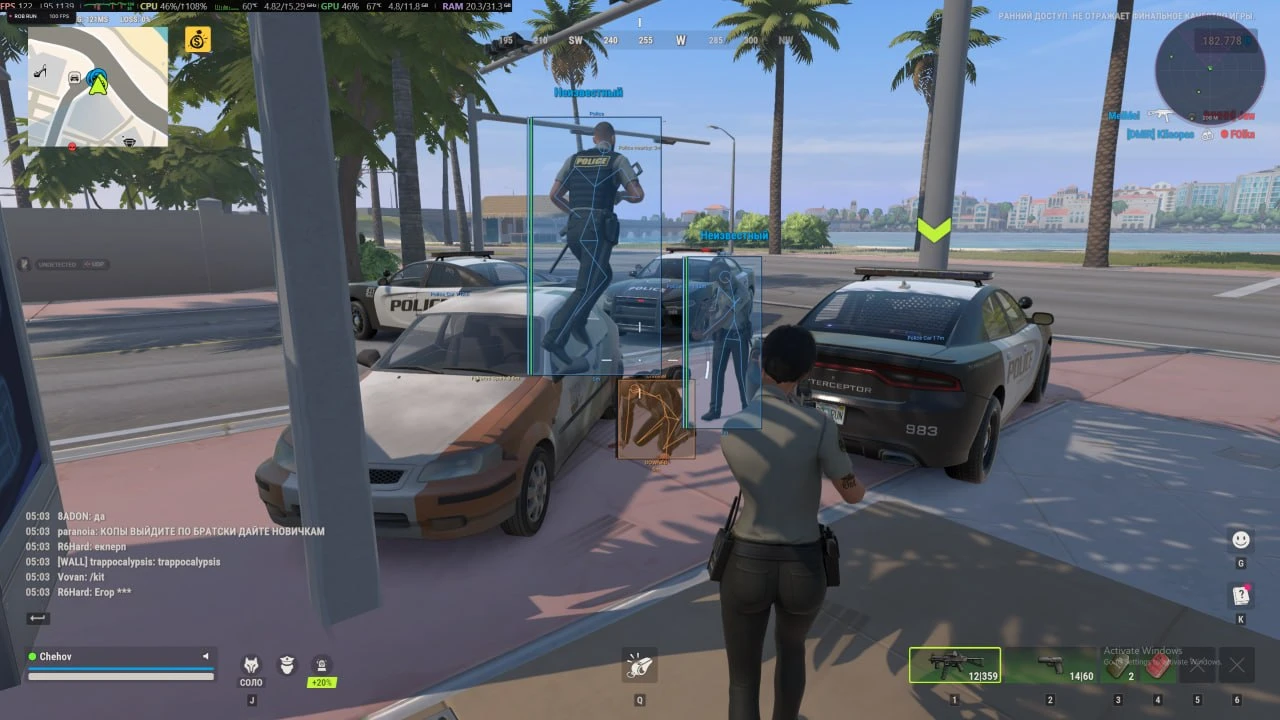
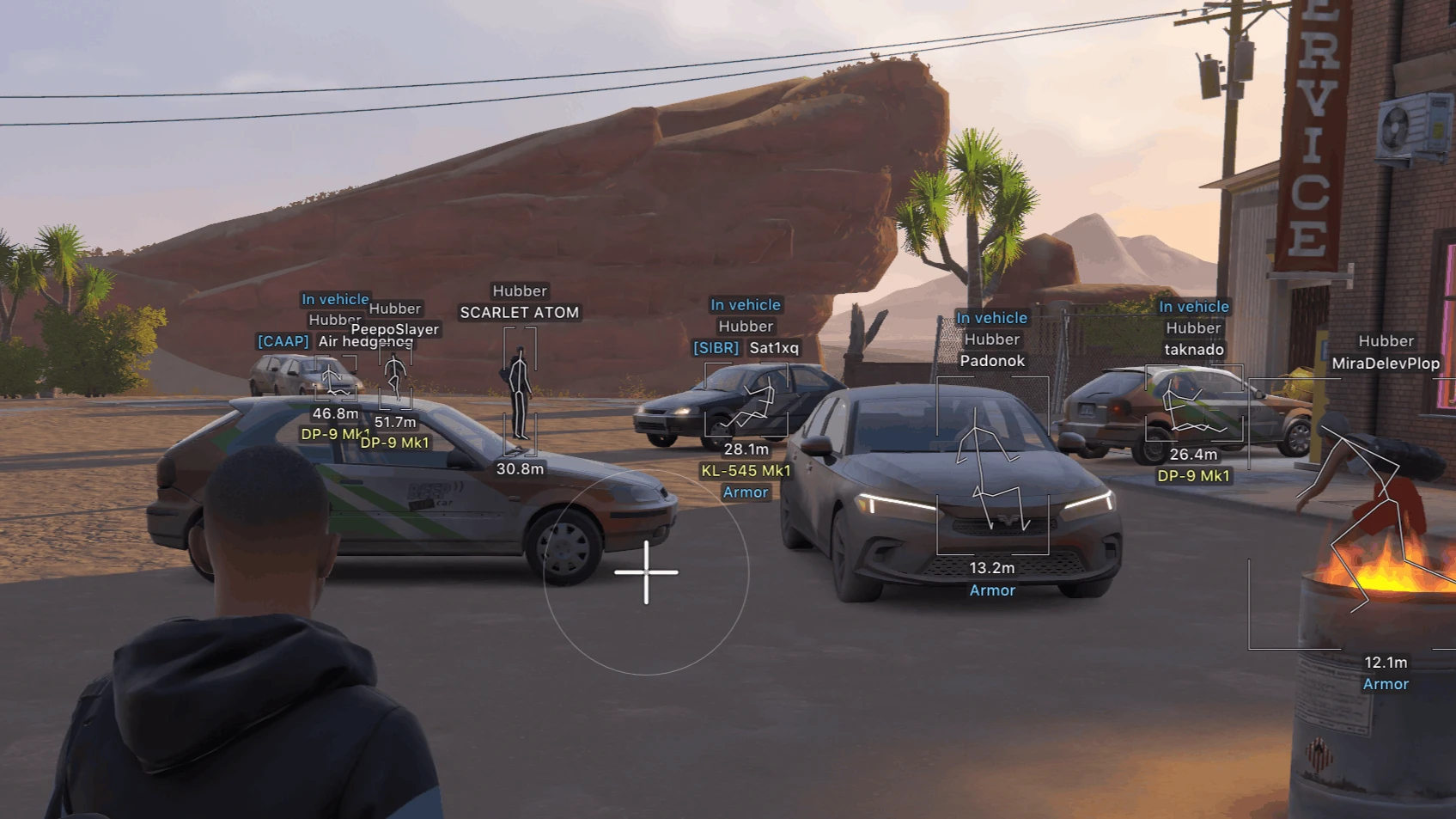
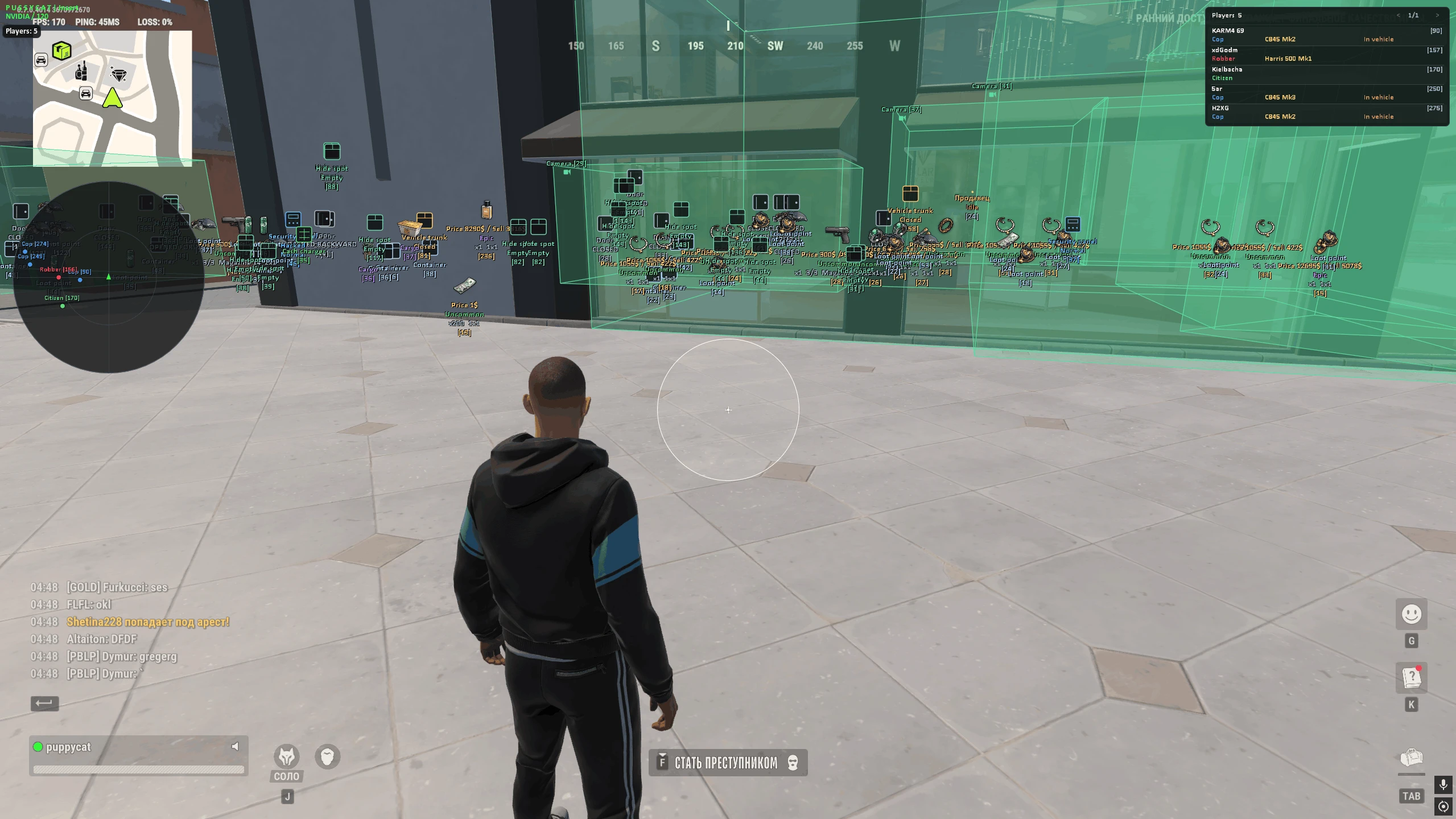
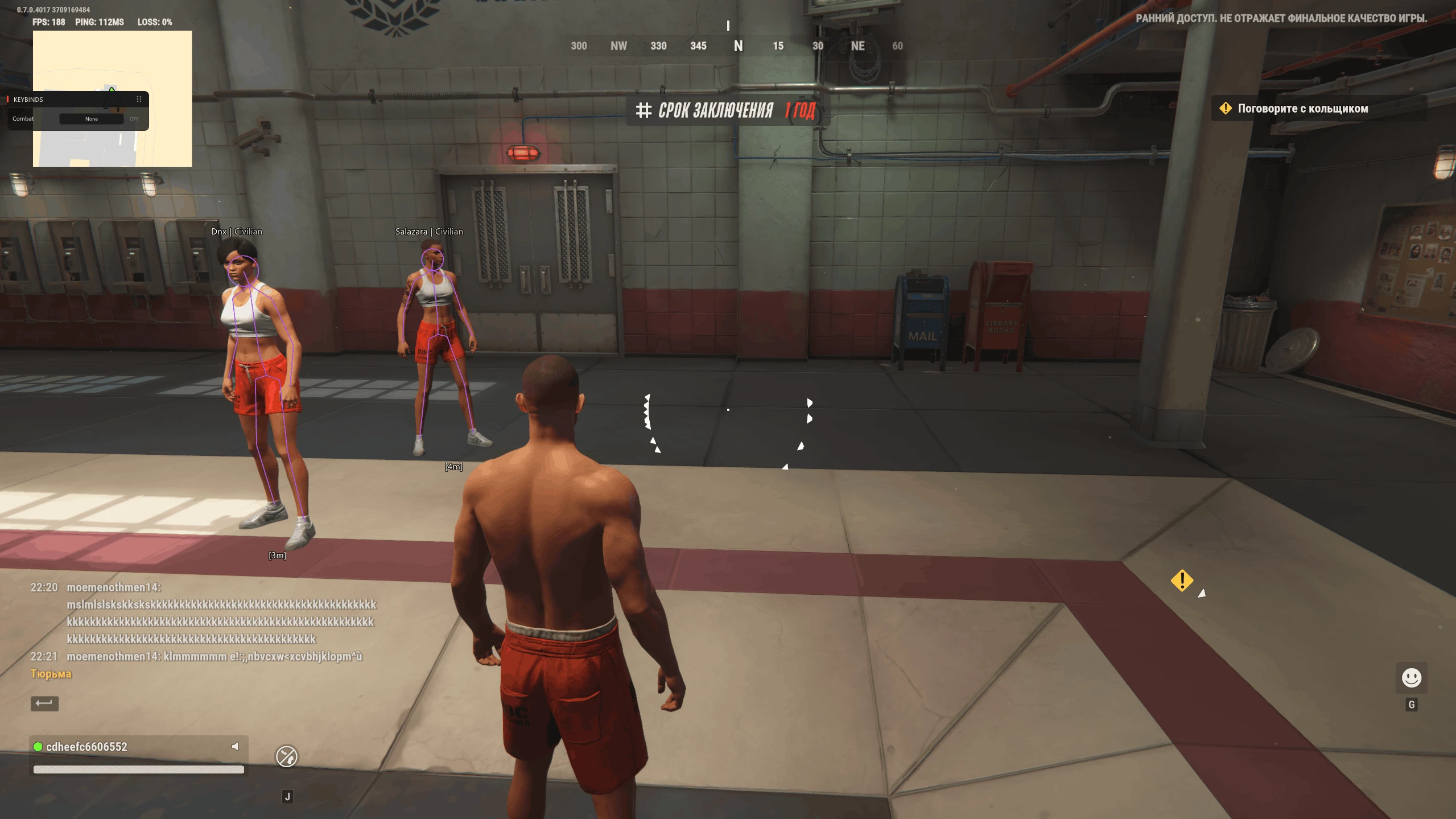
Visual:
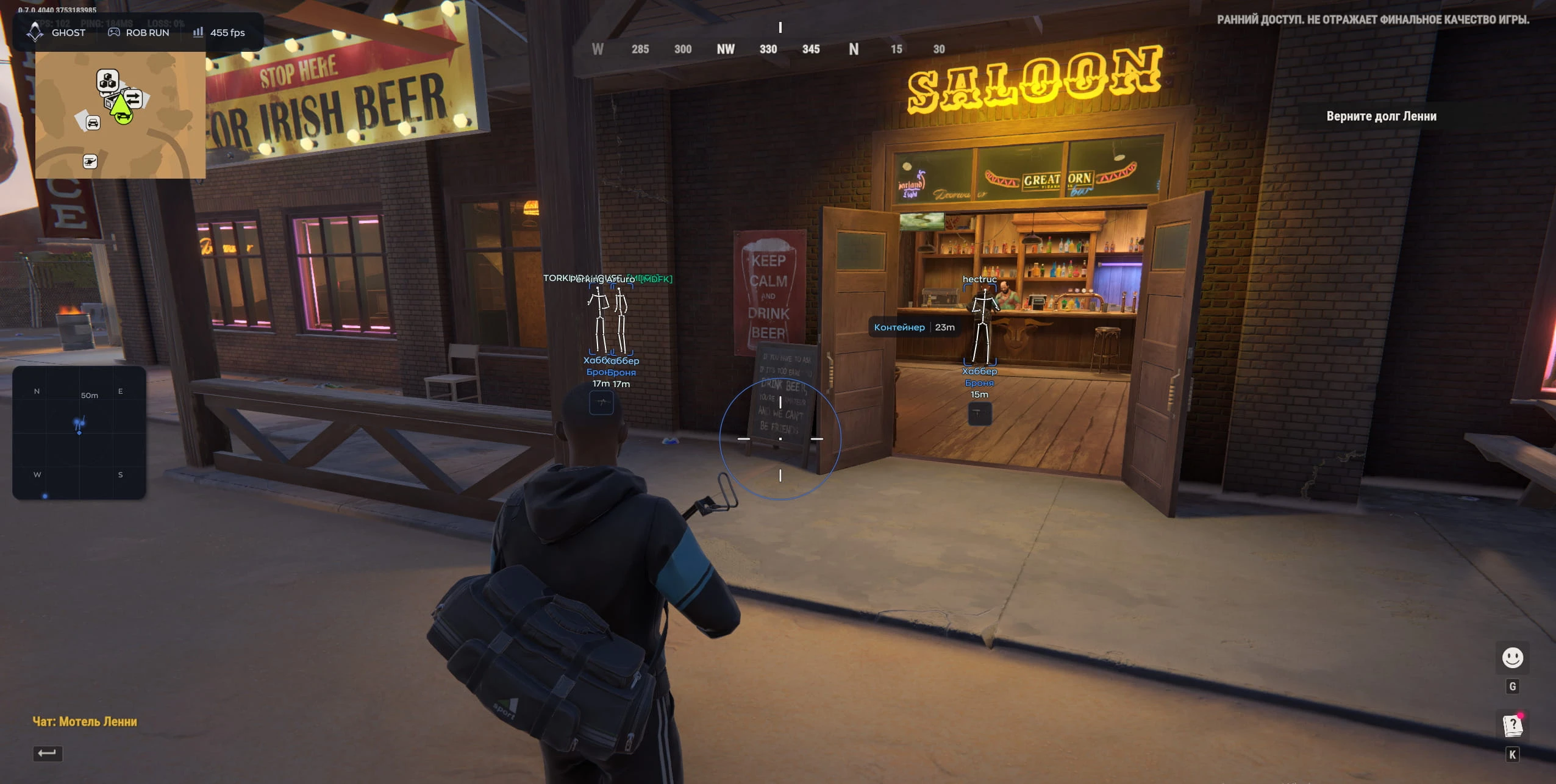
- Box — Draws a rectangle around the player model.
- Chams — Recolors the player model with a solid color.
- Skeleton — Displays the player's skeletal structure.
- Name — Shows the player's nickname.
- Distance — Shows the distance to the player.
- Weapon — Displays the player's weapon.
- Role — Shows the player's in-game role or profession.
- Armor — Displays the presence and level of armor.
- Clan Tag — Shows the player's clan or faction tag.
- Line — Draws a line from the edge (or bottom) of the screen toward the player.
- View Direction — Displays a line indicating the direction the player is looking.
- Show Factions — A display filter for factions.
- Weapon Selection — Allows choosing the weapon display format (icon or text).
- Ignore Clan — Allows you to ignore specific clans or tags.
- Preview — A preview window for visualizing your settings on a model.
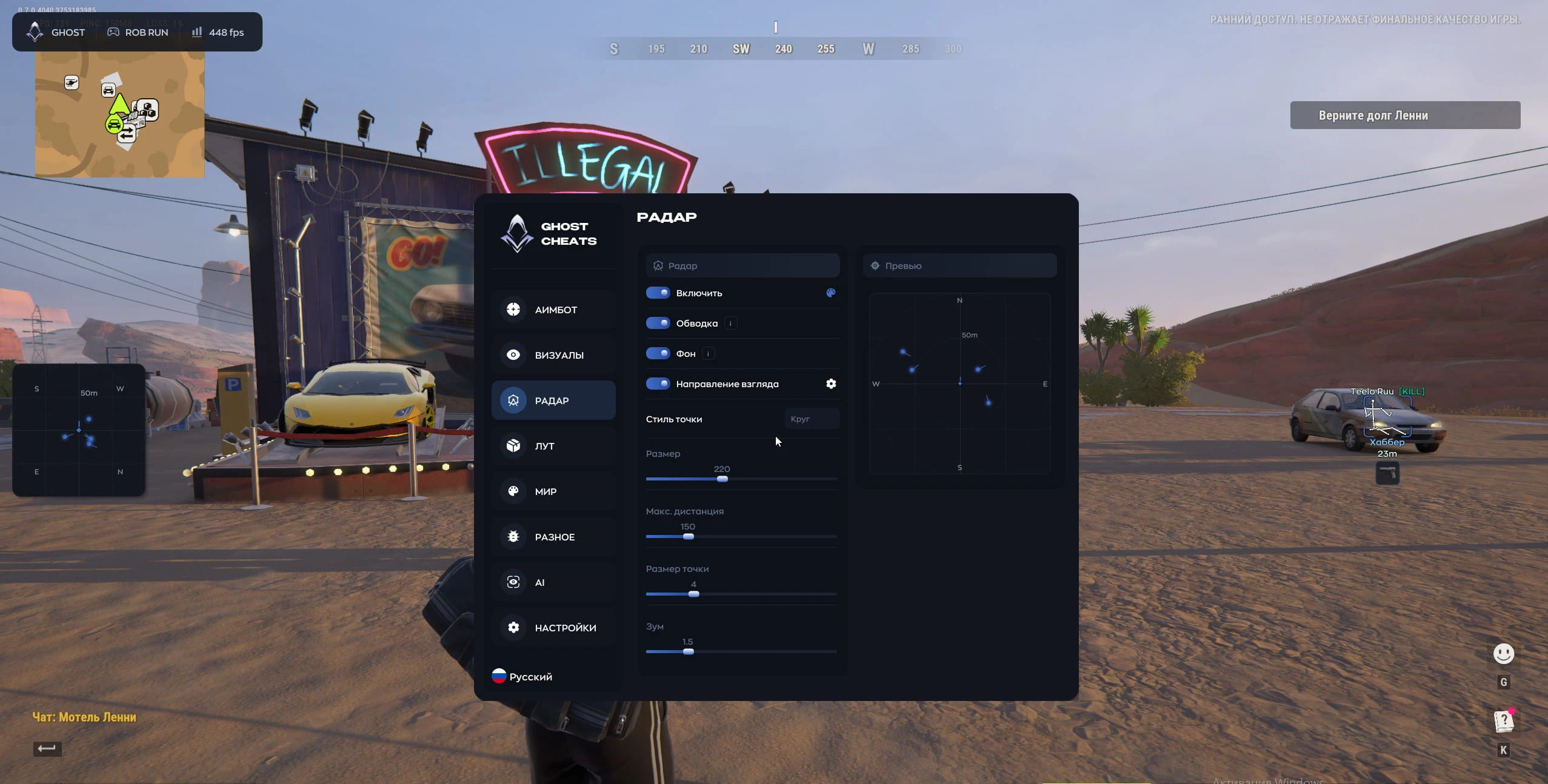
Radar:
- Outline — Adds a border around the minimap.
- Background — Enables or disables the radar background.
- View Direction — Shows the direction other players are facing on the radar.
- Dot Style — The shape of player markers on the radar.
- Size — Adjusts the overall size of the radar widget on the screen.
- Max Distance — The maximum distance at which the radar displays other players.
- Dot Size — Adjusts the size of the markers on the radar.
- Zoom — Zooms the map in or out within the radar.
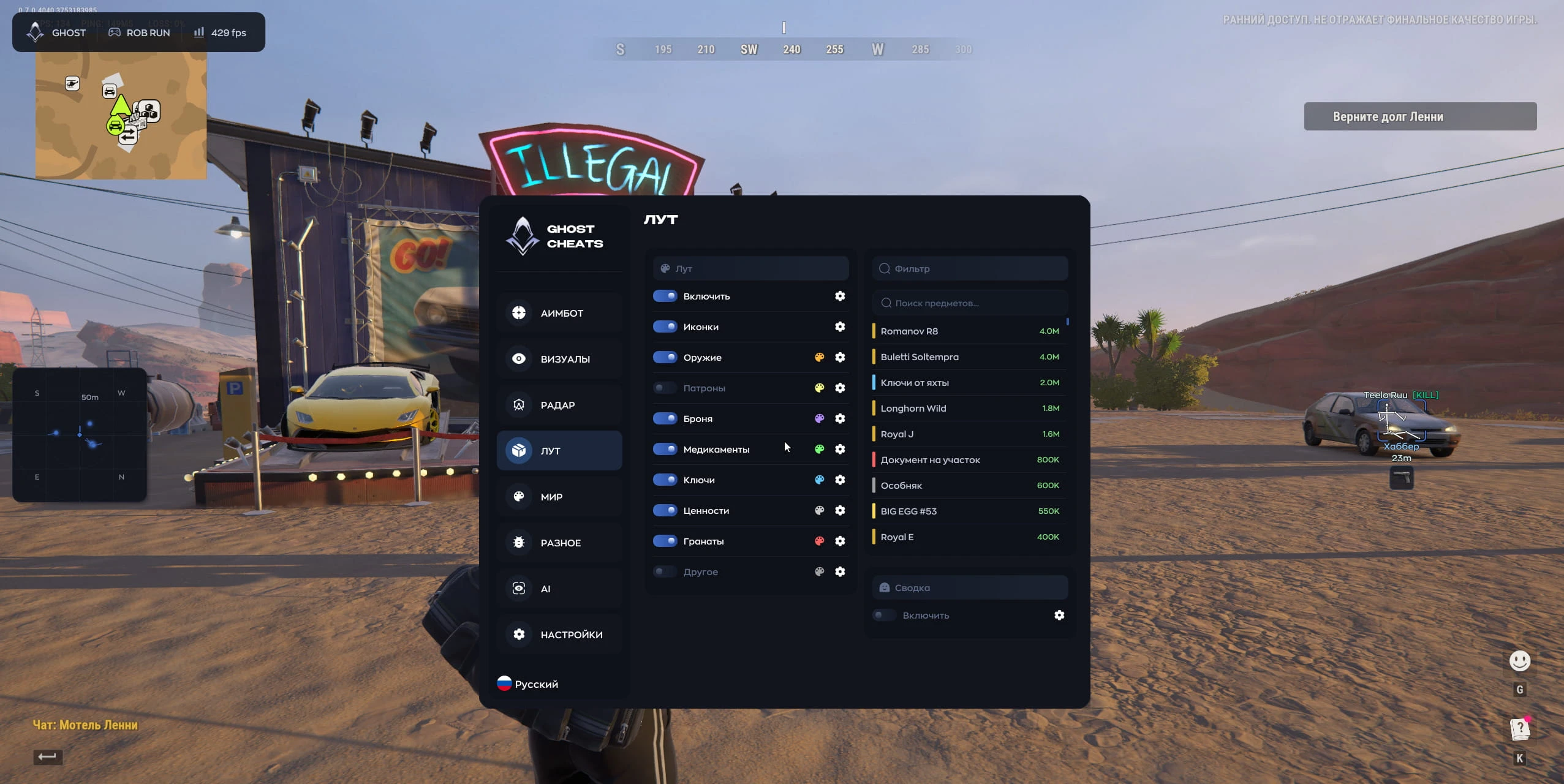
Loot:
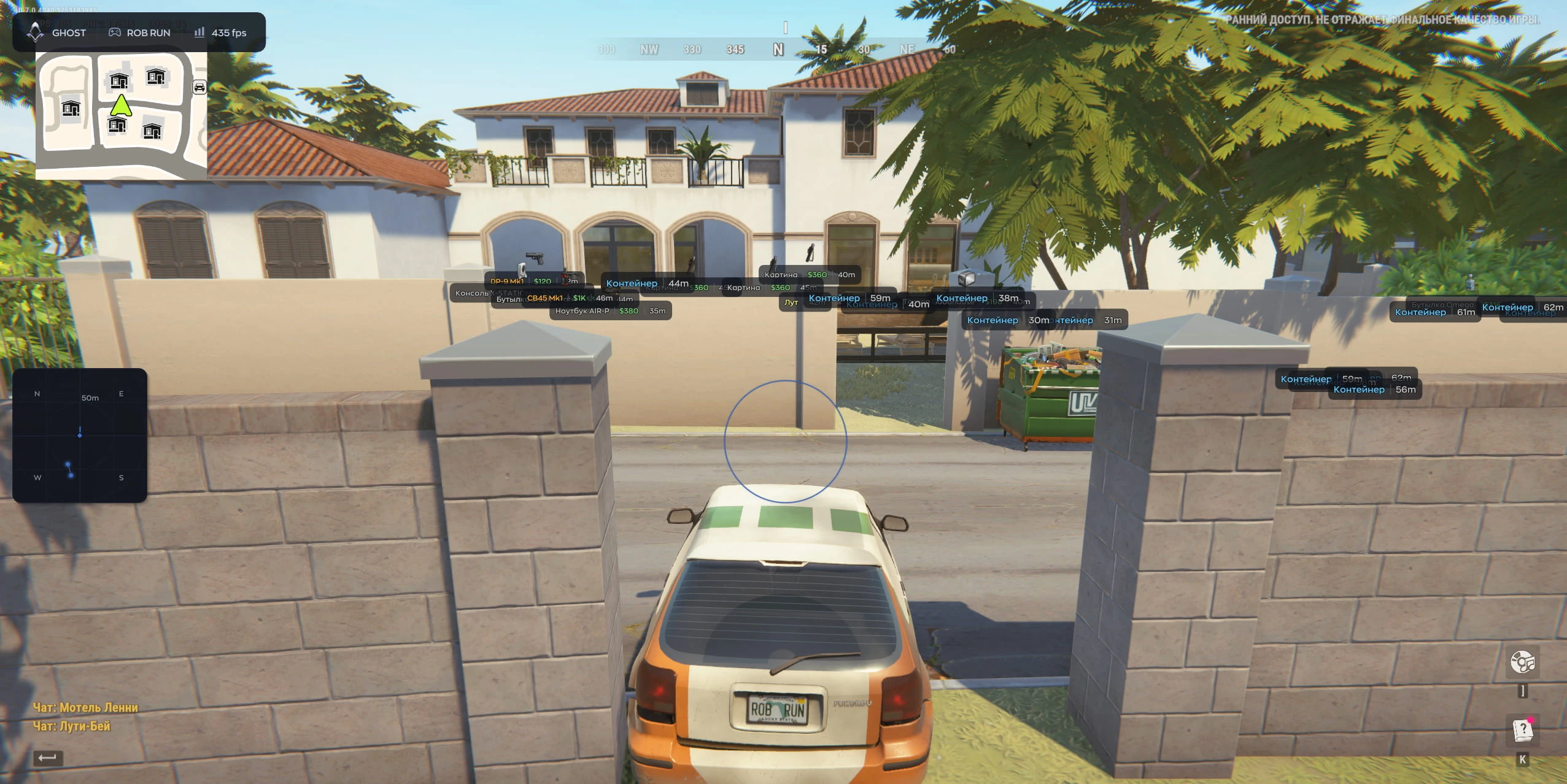
- Icons — Displays item icons instead of text.
- Weapon — Displays weapons on the map.
- Ammo — Displays ammunition.
- Armor — Displays armor.
- Medications — Displays medkits and medical supplies.
- Keys — Displays keys.
- Valuables — Displays valuable items.
- Grenades — Displays grenades.
- Other — Displays other categories of loot.
- Filter / Search Items — A search bar for selecting specific items.
- Summary / Enable — Enables a separate window containing a list of all discovered loot.
World:
- Vehicles
- Box — Draws a frame around vehicles.
- Text — Displays the vehicle's name and the distance to it.
- Friends — A list of friends, including the distance to each.
- World Objects
- Containers — Highlights containers.
- Bags — Highlights bags.
- Cargo — Highlights cargo.
- Loot Spots — Shows loot spawn points.
- Cash — Highlights dropped money.
- Cameras — Highlights surveillance cameras.
Settings:
- Create — Create a new config.
- Delete — Delete the selected config.
- Save — Save current settings to a config.
- Load — Load settings from the selected config.
- Export — Save a config to a file.
- Import — Load a config from a file.
- Watermark — Displays the cheat's logo on the screen.
- Binds Indicator — Shows pressed keys on the screen.
- Text Shadow — Enables a shadow for interface text.
- Hide from Capture — Makes the menu invisible in screenshots and streams.
- Combat Mode — Hides the menu when a specific key is pressed.
- Crosshair — Enables a custom crosshair.
- V-Sync — Enables vertical synchronization.
- High Performance — Optimizes the menu to improve FPS.
- Menu Key — Sets the key used to open/close the menu.
- DPI Scale — Adjusts the size of menu elements.
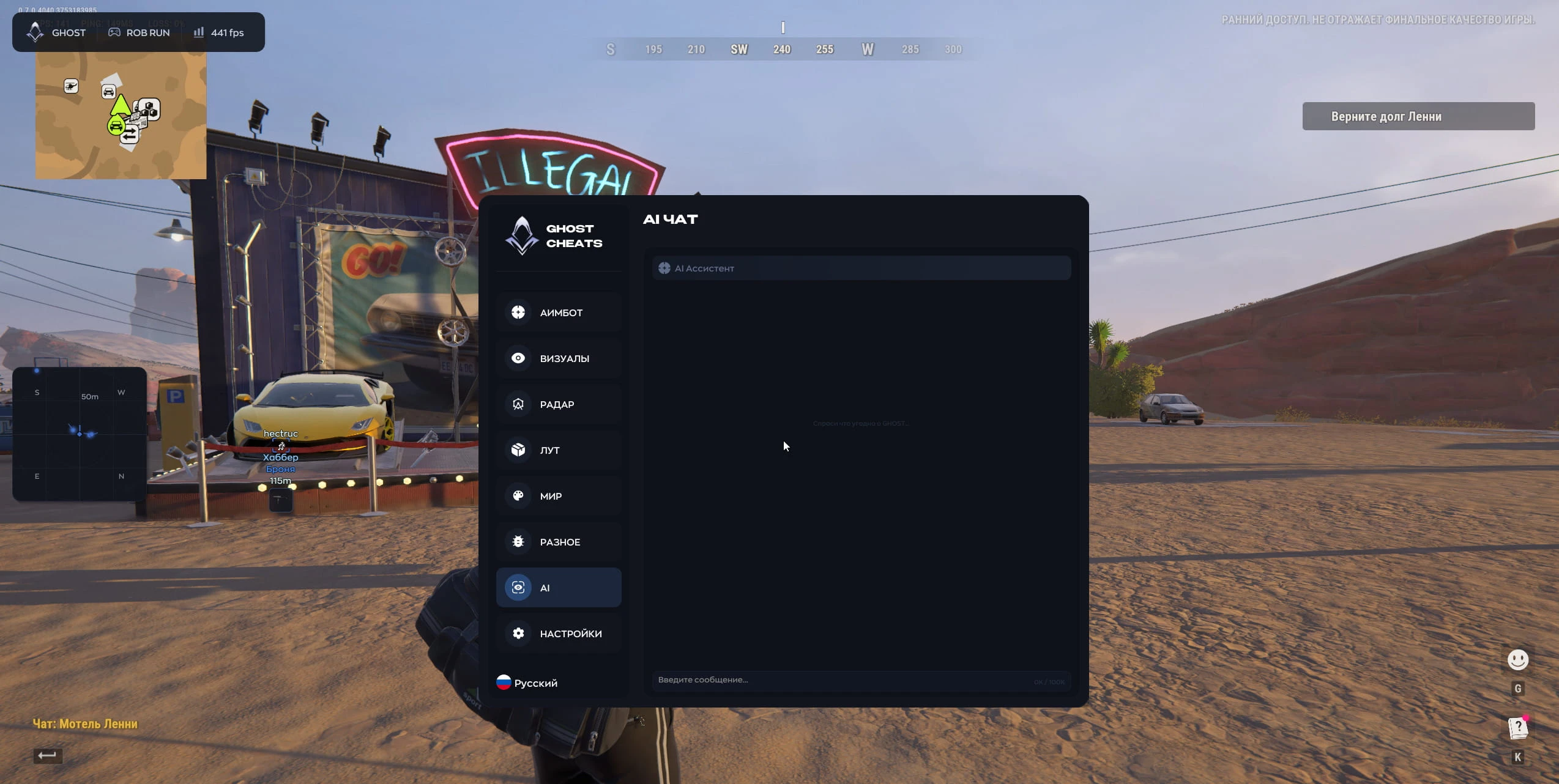
AI CHAT
- AI Assistant — A built-in chatbot for answering questions and providing assistance with the menu.
- Supported game version: Steam
- Supported game mode: Borderles, windowed
- Supported Windows: 10&11 x64, versions (2004 / 20H2 / 21H1 / 21H2 / 22H2 / 23H2 / 24H2 / 25H2 / 26H1 / 26H2) you can check your build by following the instructions HERE.
- Supported anti-cheat: In-game anti-cheat
- Supported processors: Intel and AMD
- Support invisibility on video or screenshots: Yes
YOU MIGHT ALSO LIKE
REVIEWS
Reviews for Ghost Full [Rob Run]
Reviews are moderated before publication
No reviews yet. Be the first!