Ghost ESP [Rob Run]
Not everyone in Rob Run wants software to do the aiming. Plenty of players trust their own shot and lose their runs to what they could not see: a crew waiting behind a wall, a camera watching the door, cash lying two rooms away. Ghost ESP is the information side of Ghost, made for exactly that player: player ESP that tells roles, factions and clans apart, a radar, loot ESP with its own search and found-loot list, vehicle and world object ESP, configs and an AI chat, while every shot stays yours. If you would like help with the aim as well, Ghost Full is the same menu with Mouse, Silent and Memory aim methods on top.
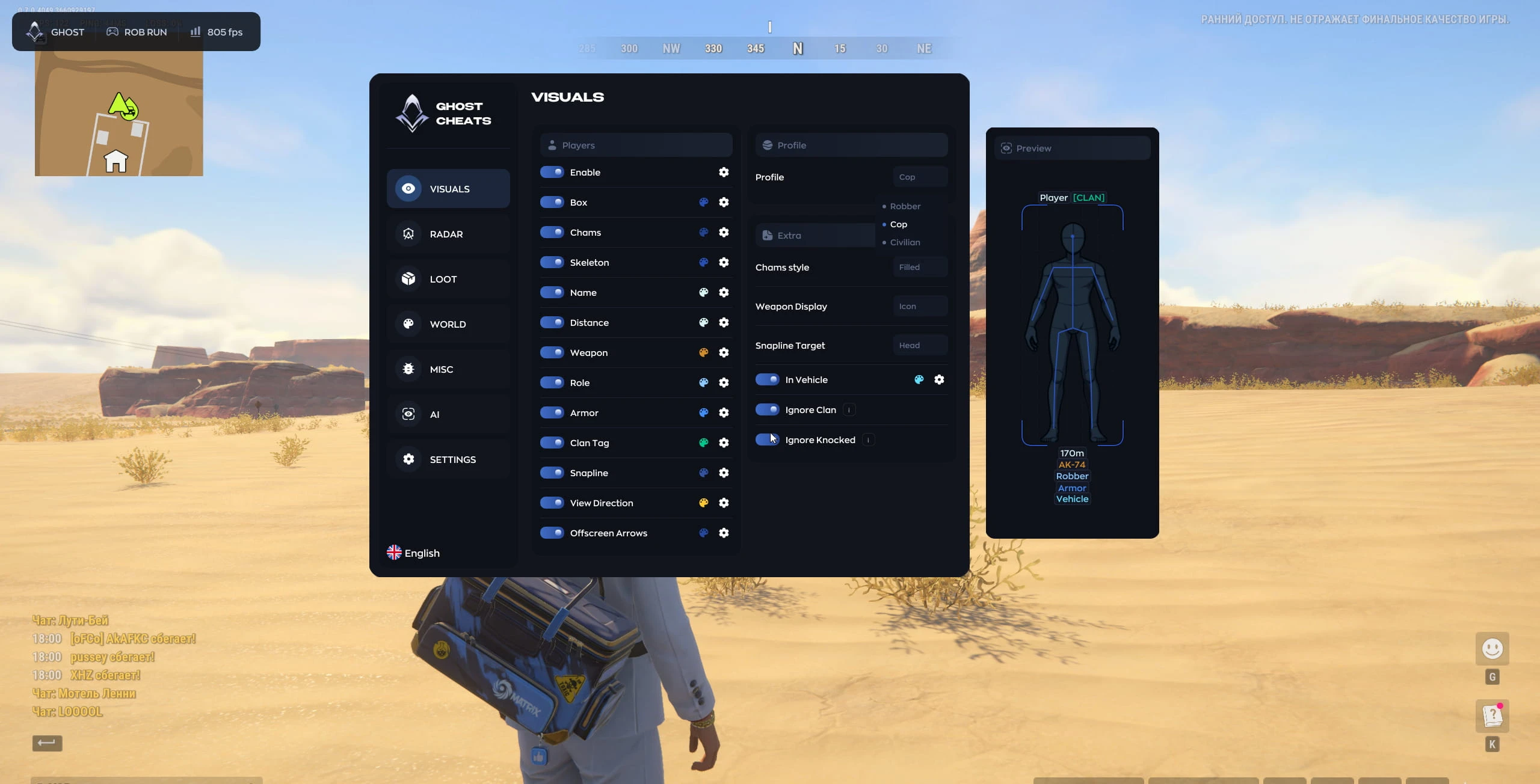
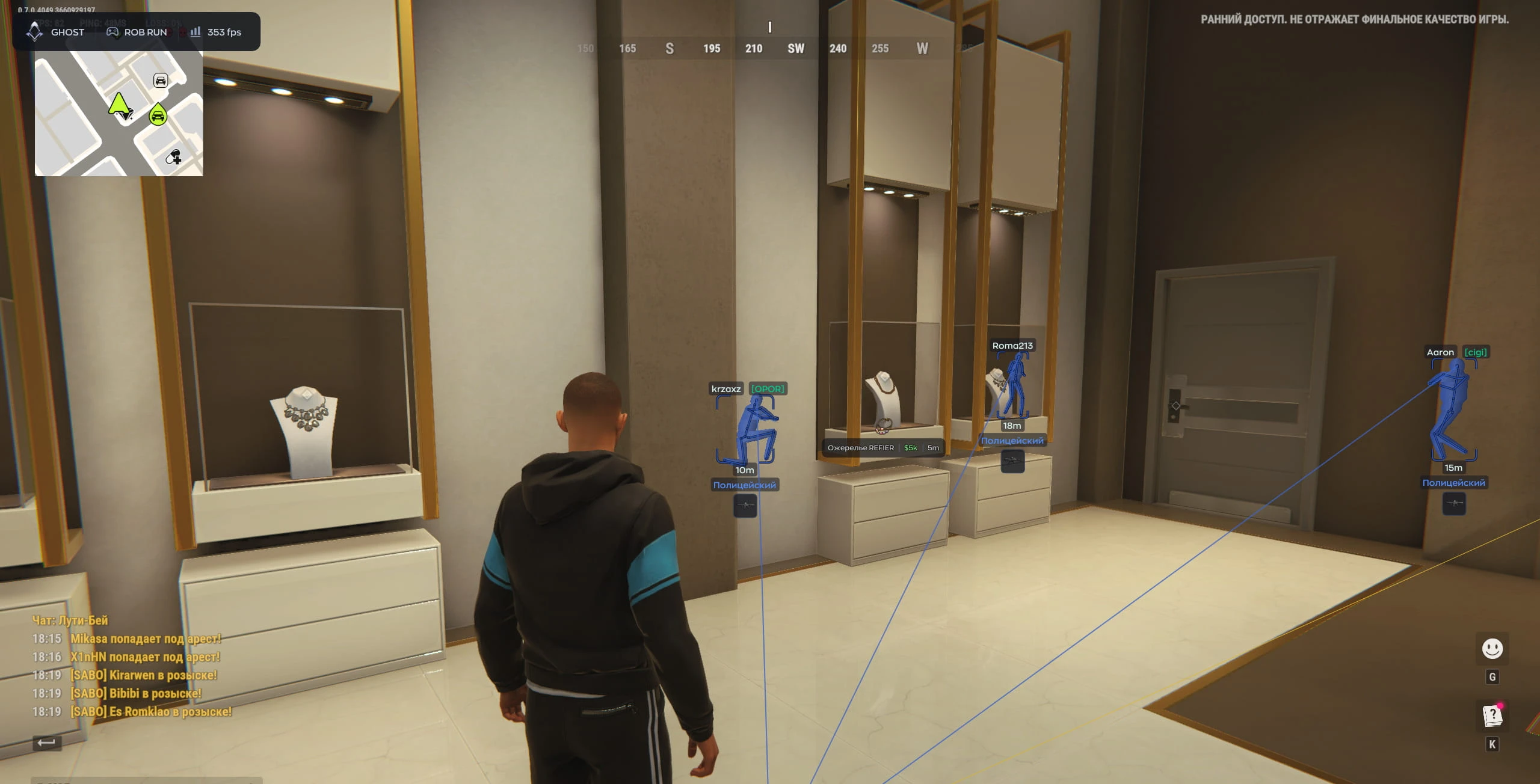
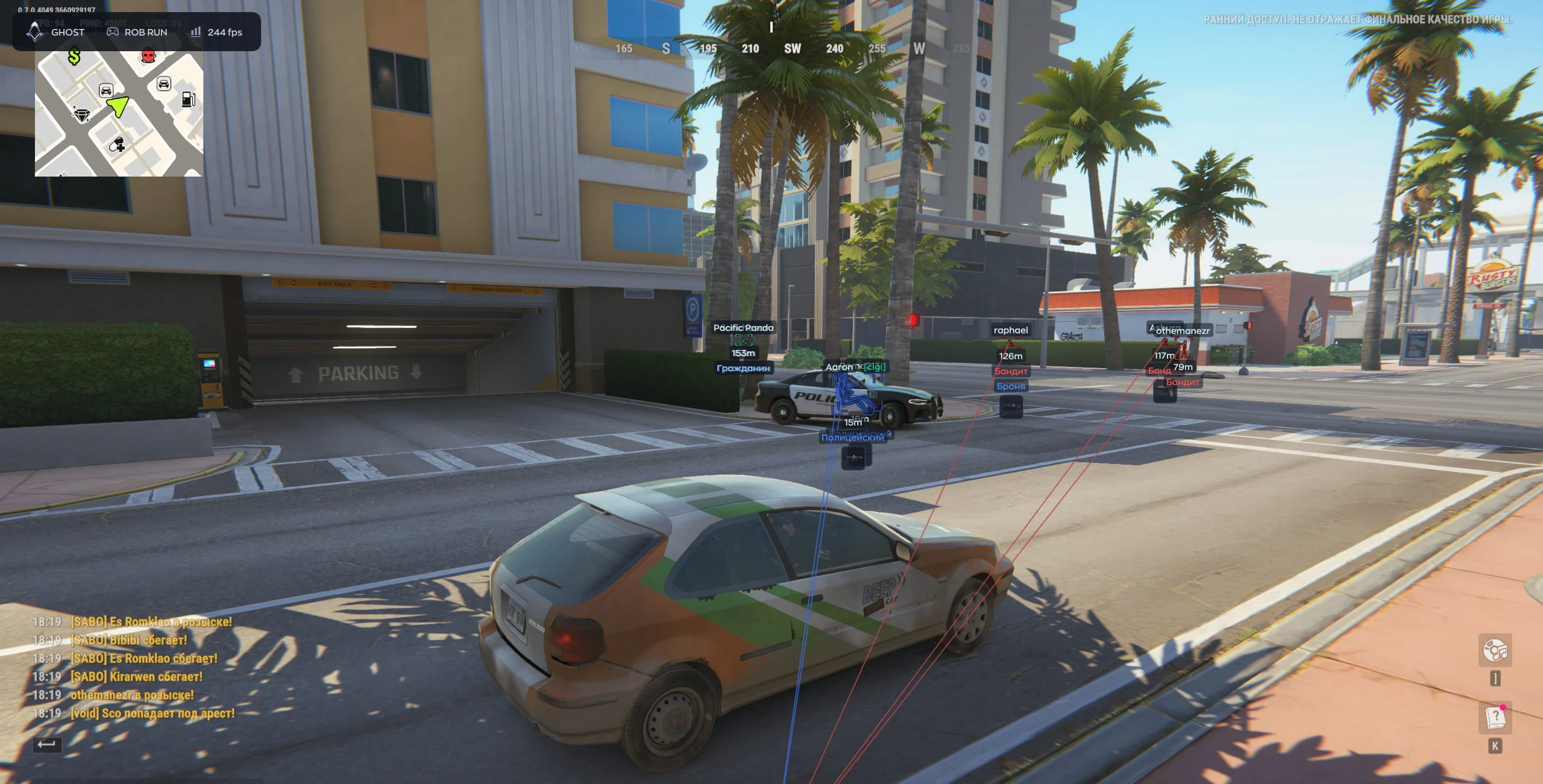
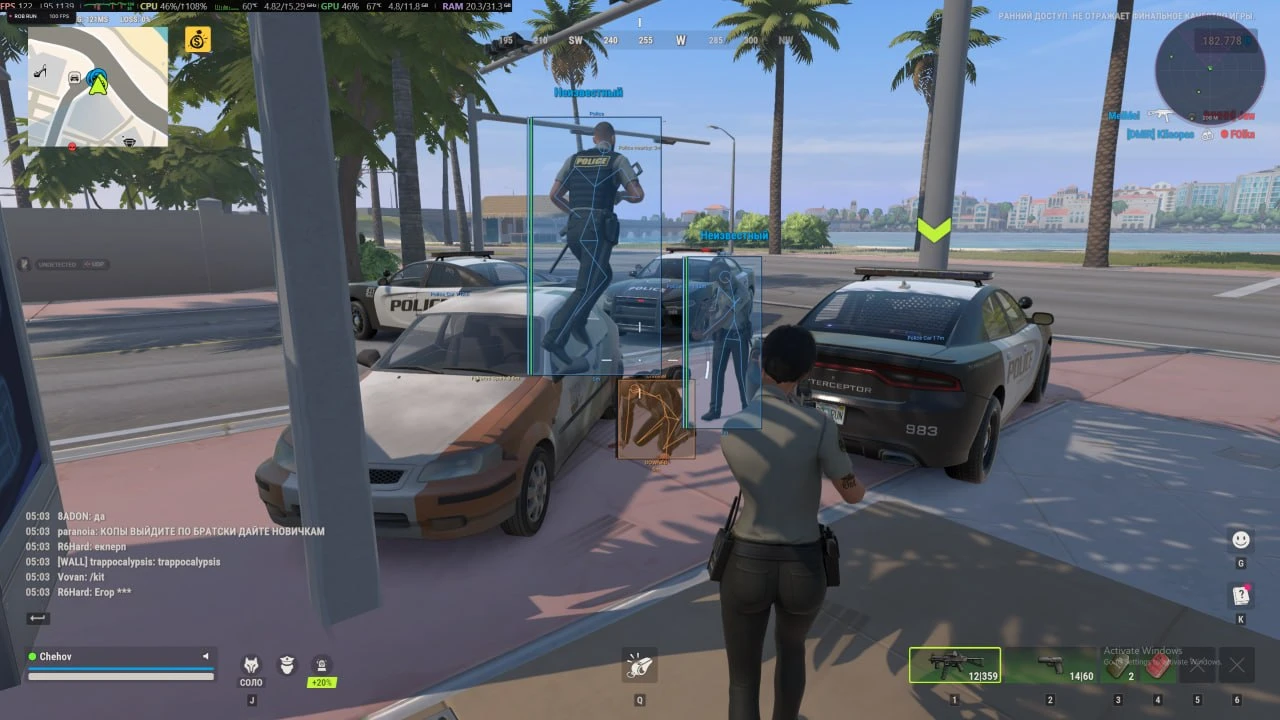
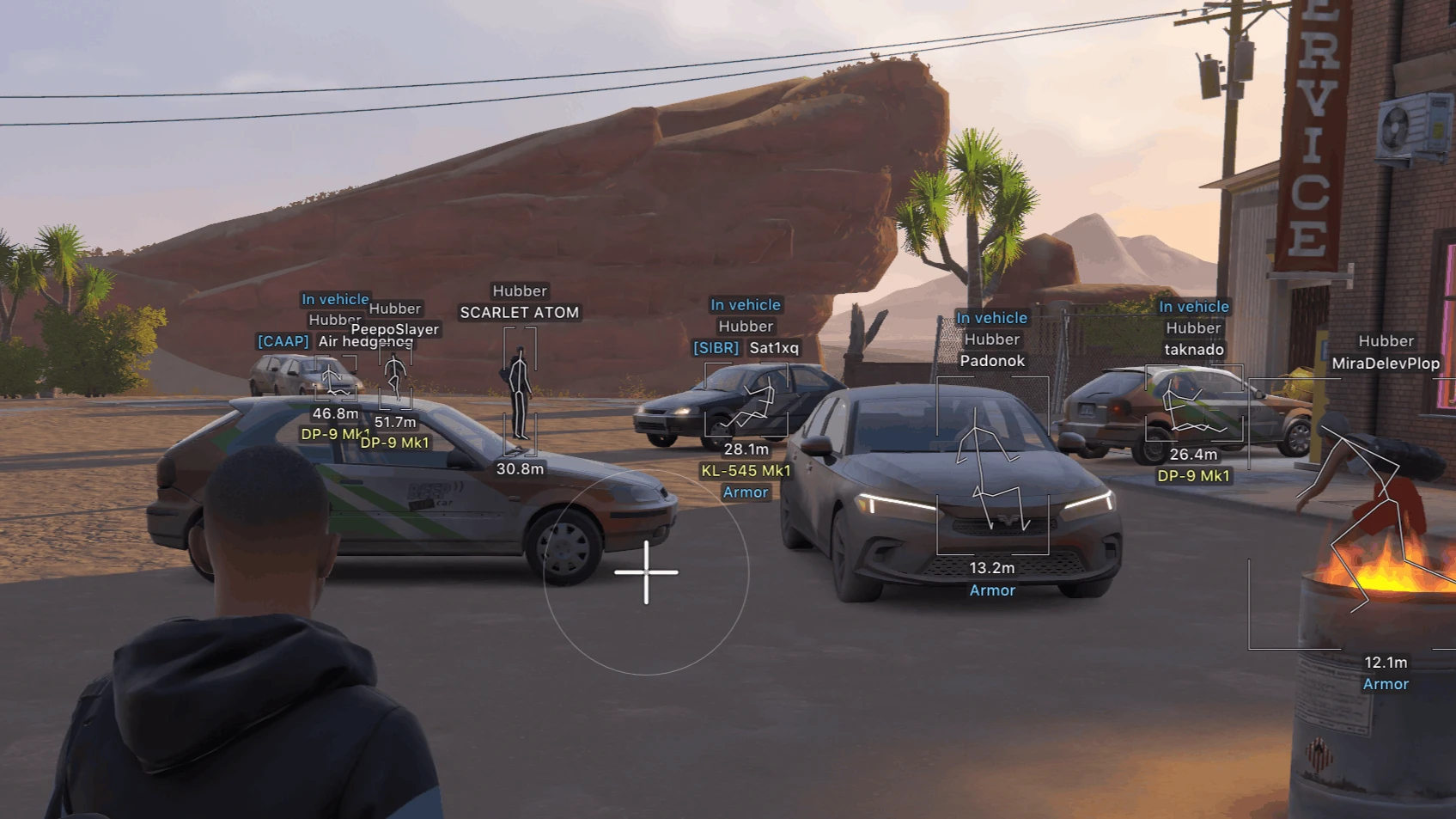
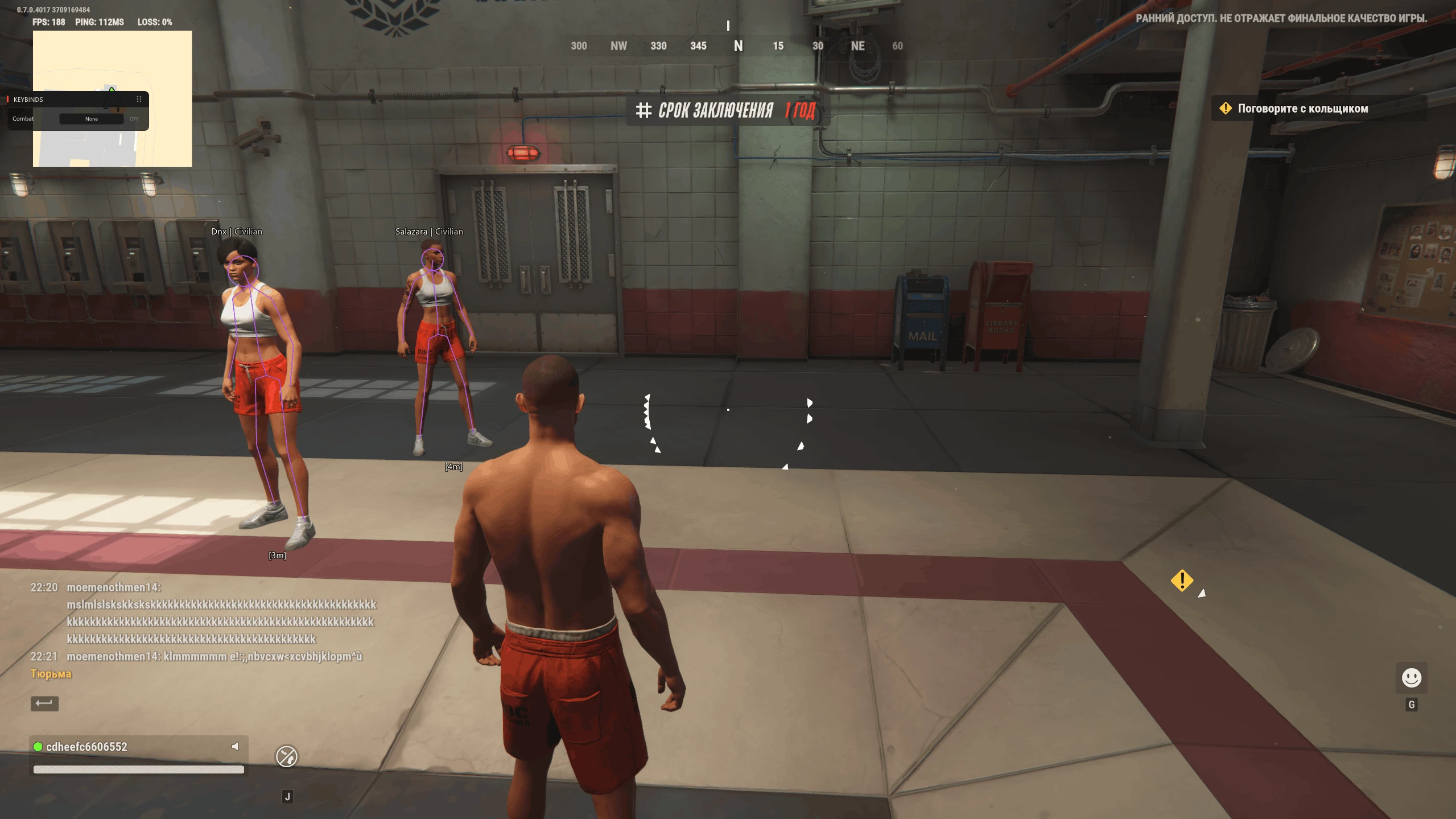
Player ESP is turned on with a single switch and then built up piece by piece: a bounding box, chams that highlight the model in one solid color, the skeleton, and labels for the nickname, the distance, the weapon in hand, the in-game role, the armor and the clan tag. Snaplines lead from the screen to every player, view direction lines show where each of them is looking, and the weapon label works as text or as an icon. Faction filters decide which sides appear at all, clans and tags you pick can be ignored completely, and the whole setup can be previewed on a model.
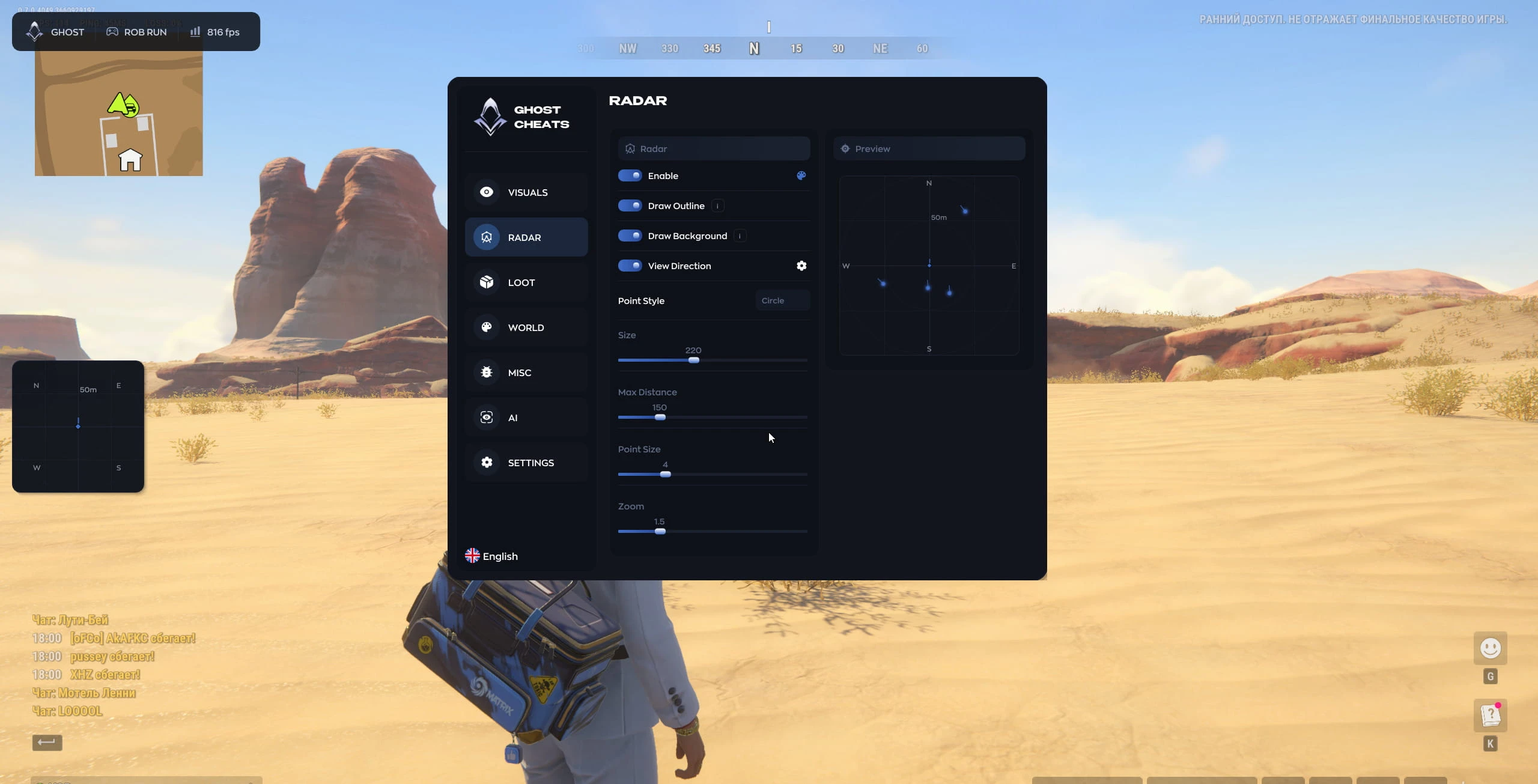
The radar lives in its own widget. You choose whether it has an outline and a background, how large it is, how far out it shows players, the style and size of the player markers and how far the map inside is zoomed, and it also marks the direction other players are looking.
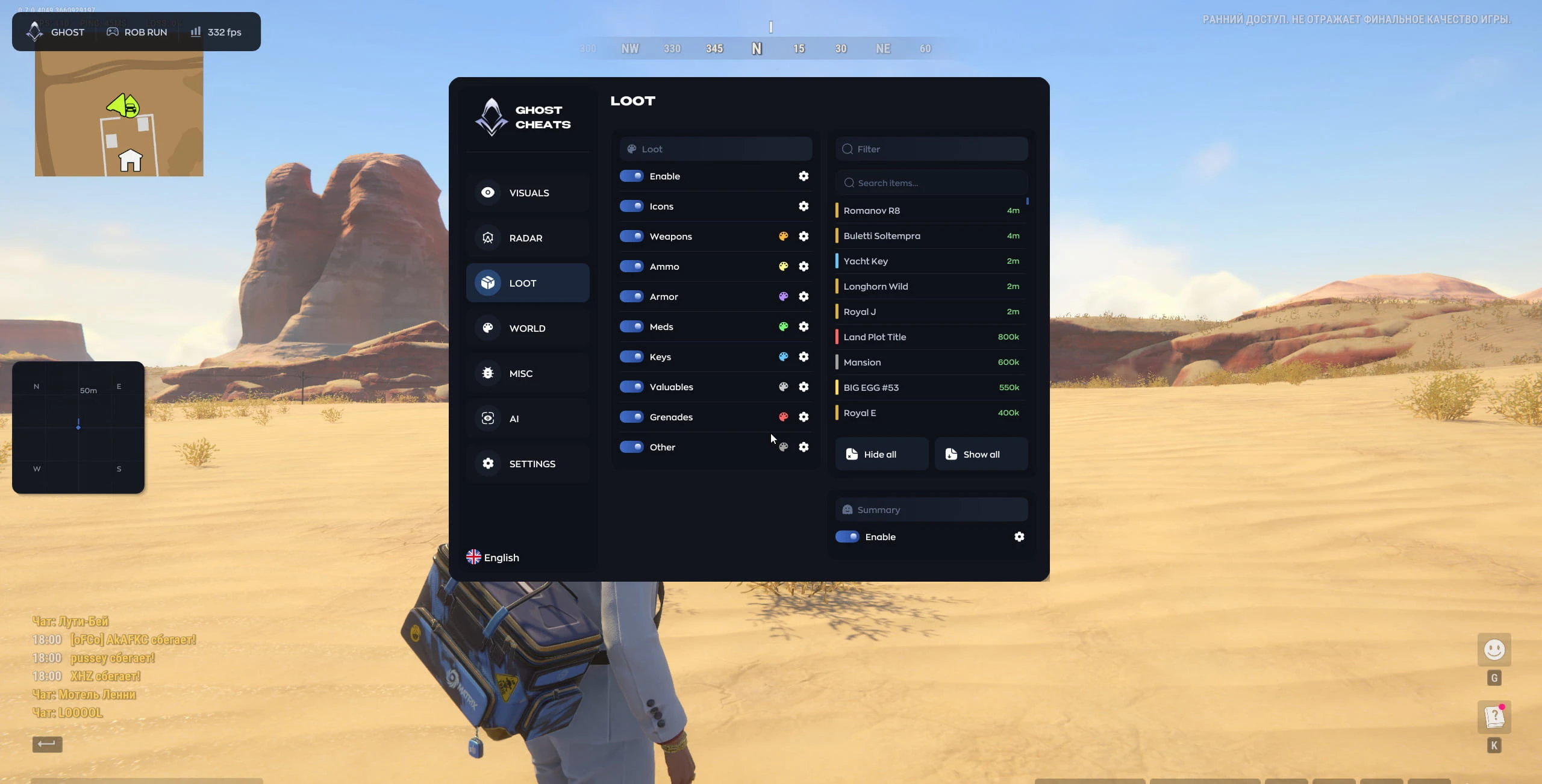
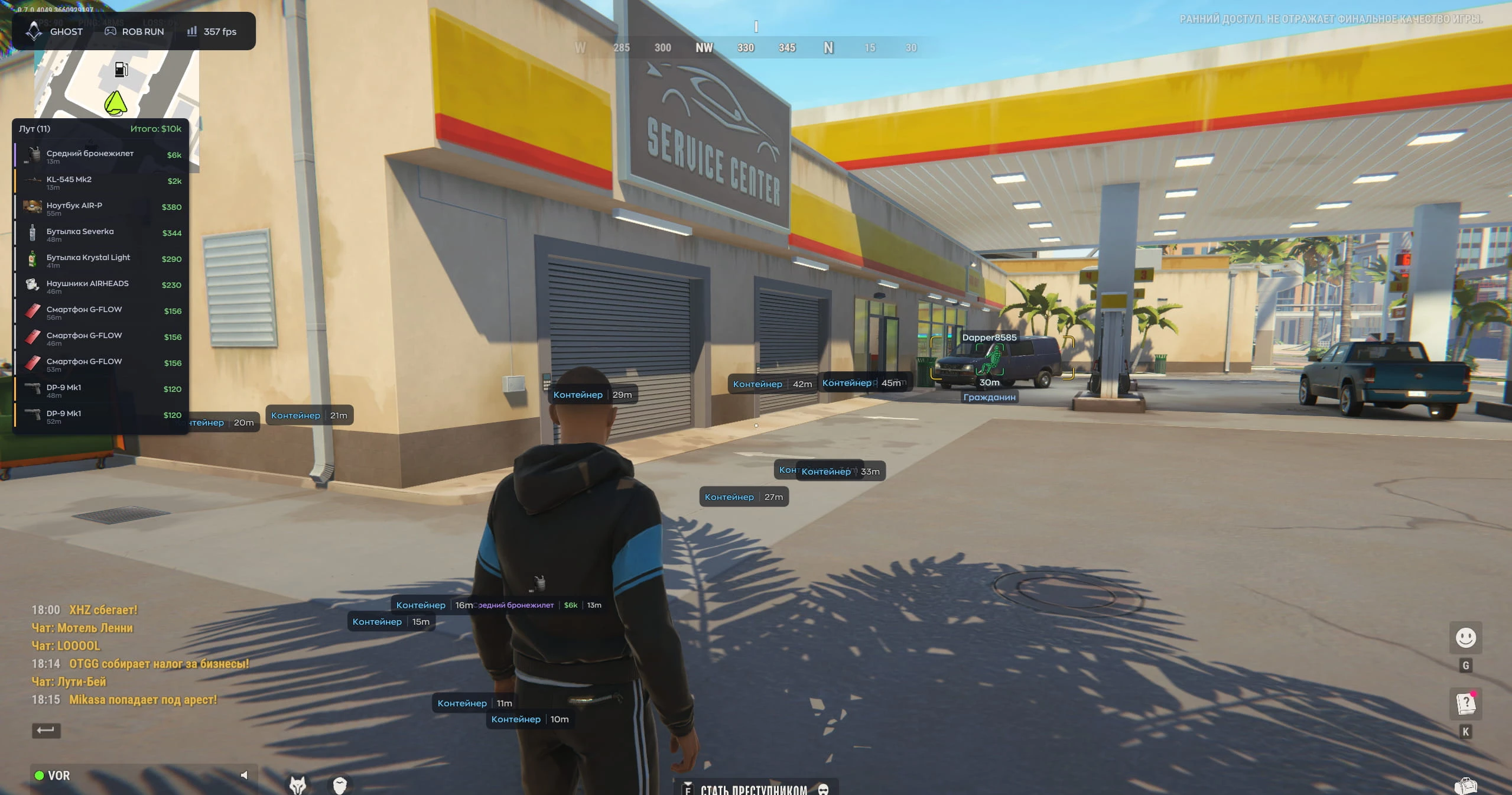
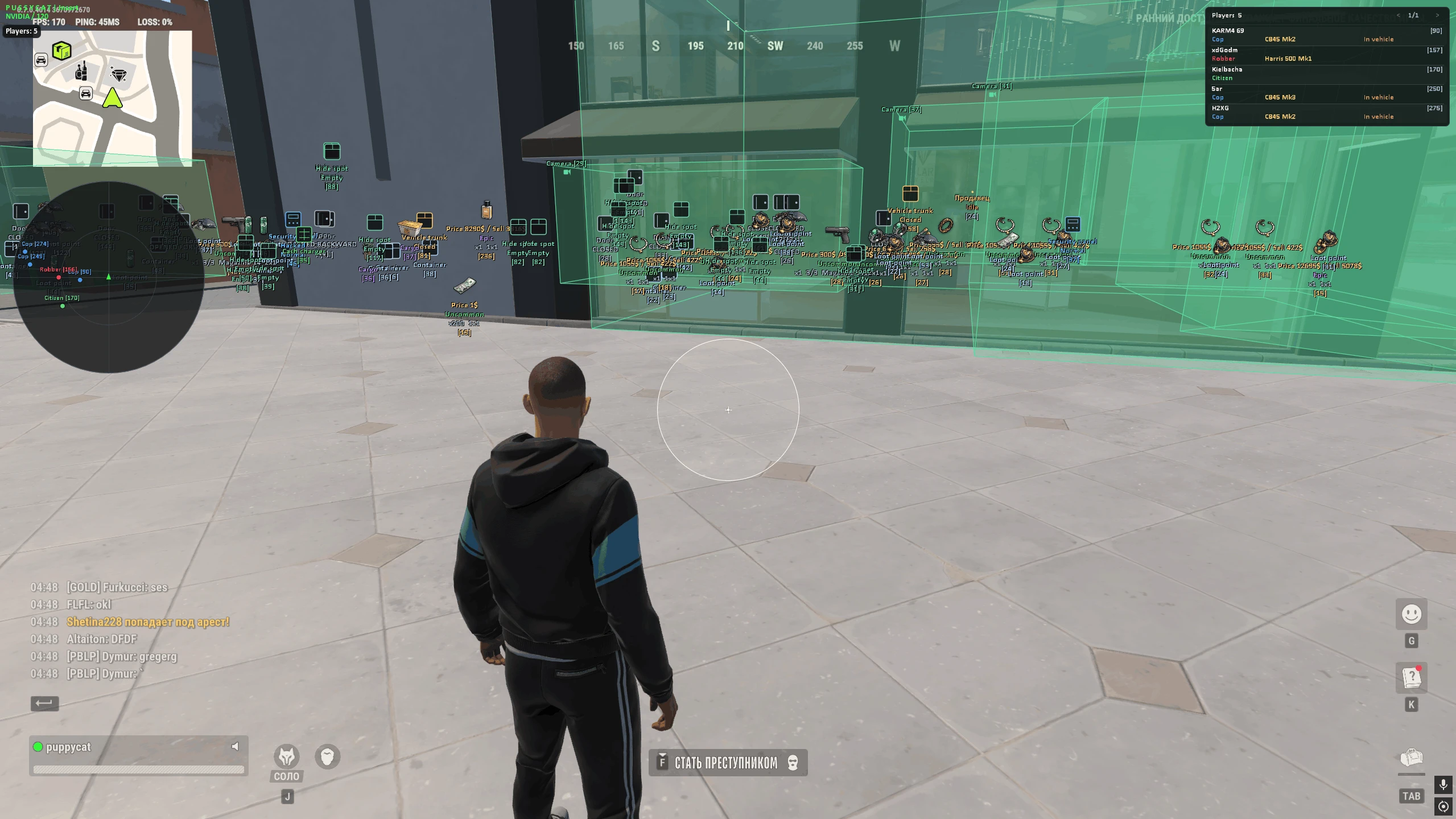
Loot ESP covers keys, valuables, medical supplies, grenades, weapons, ammo, armor and the remaining loot categories, shown as icons or as text. When you are after one particular thing, search and filtering narrow the display down to it, and a separate window keeps a list of everything found so far.
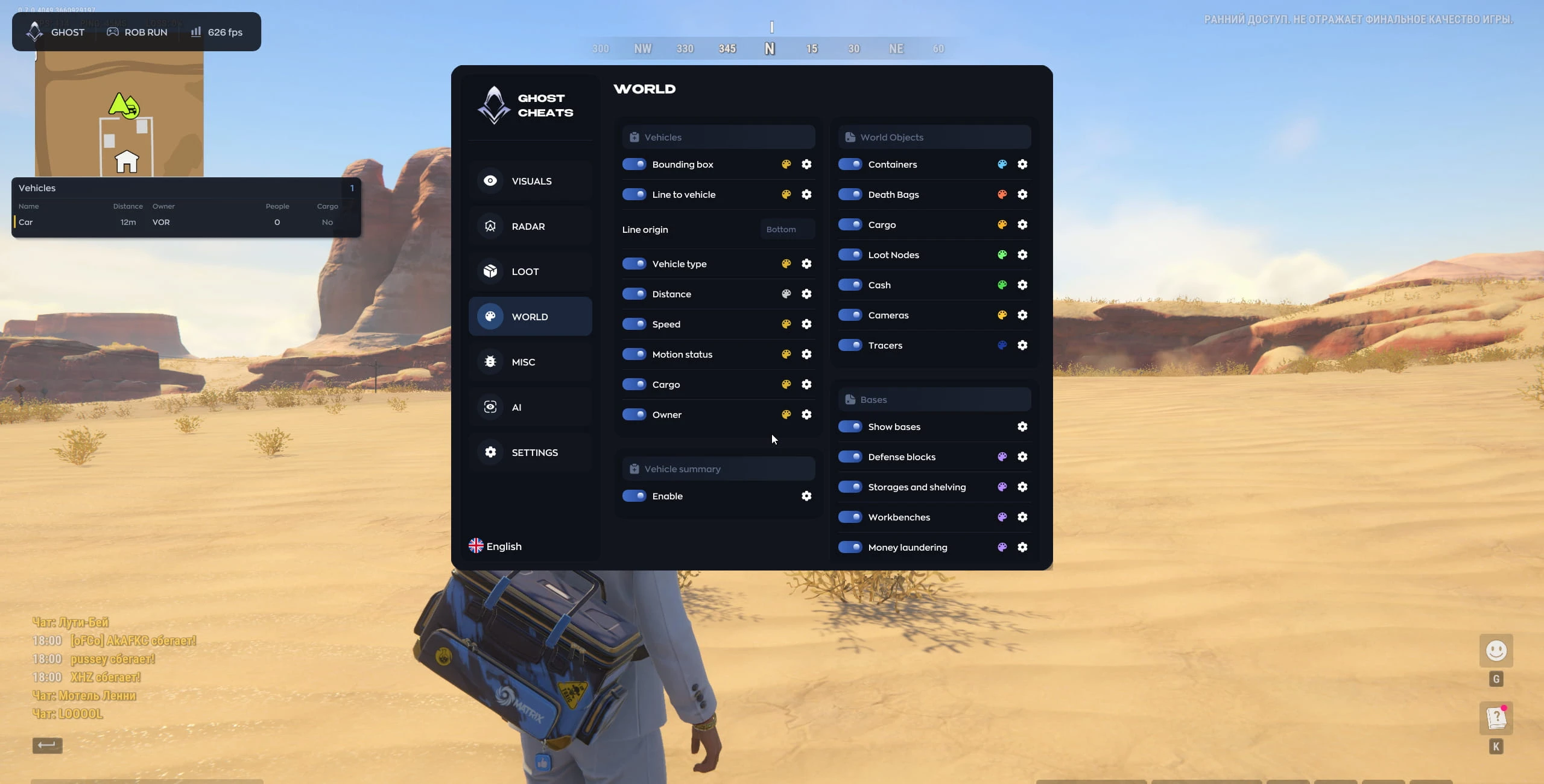
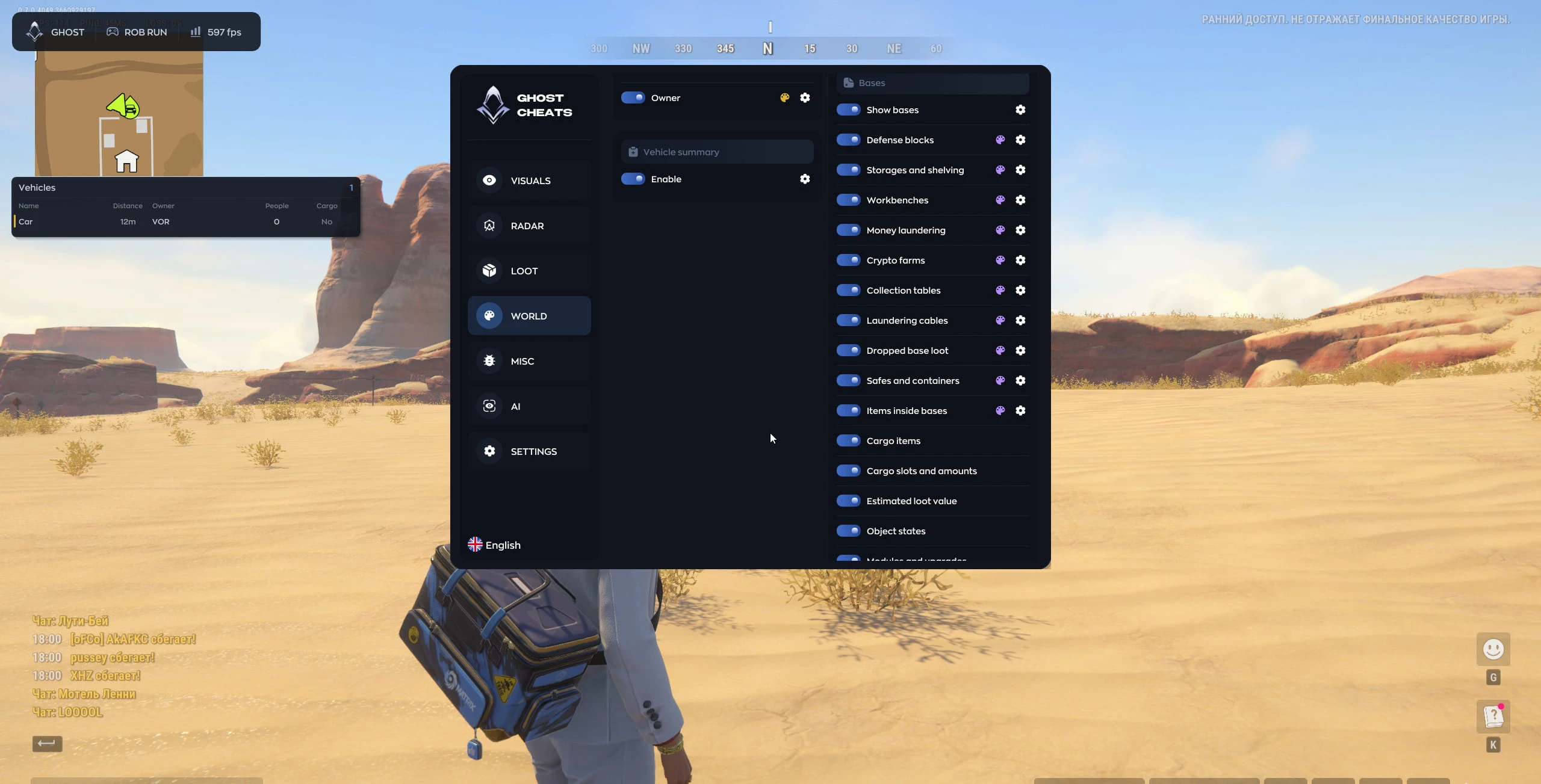
Vehicle ESP has its own switch and frames each vehicle with its name and the distance to it. On the world layer, dropped cash, cargo, bags, containers and security cameras are highlighted and loot spawn points are marked, and a friends list keeps the distance to each of your friends in view.
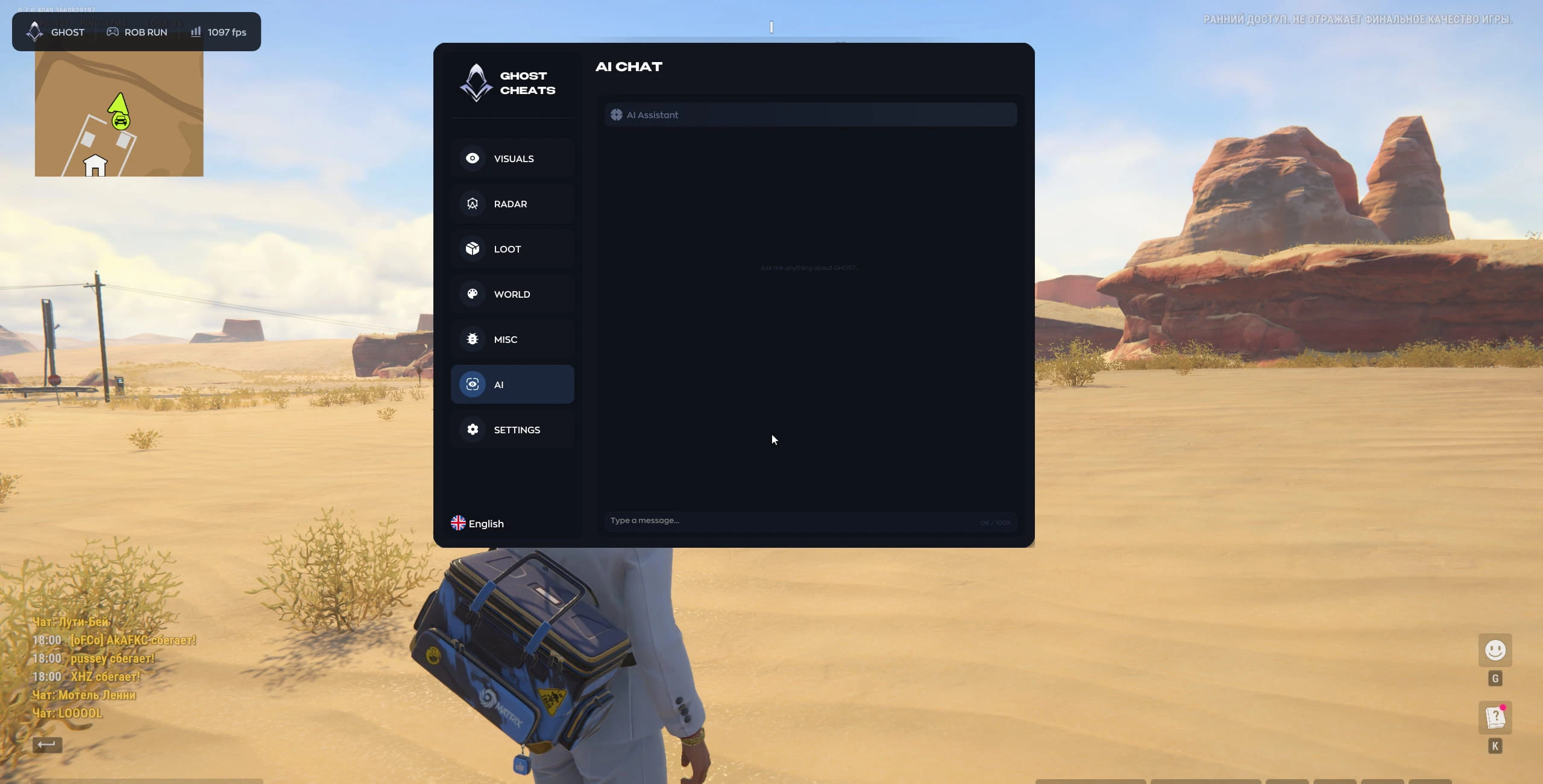
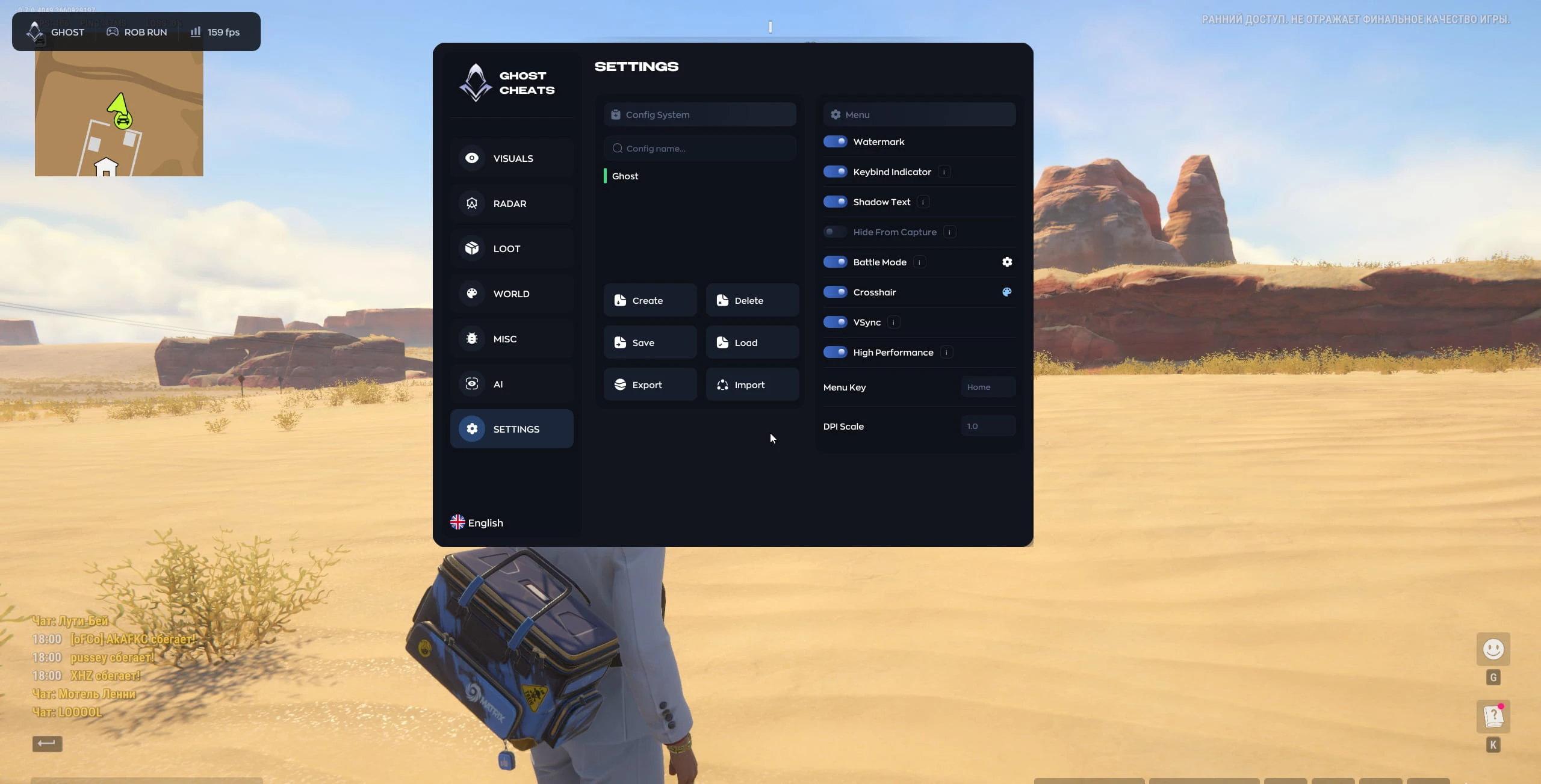
In settings and configs you create, save, load and delete configs and move them in and out as files. The menu hides from screen capture, so it does not end up in recordings or streams, and combat mode puts it away with a hotkey. You also set the menu toggle key and DPI scaling, and can turn on the high-performance menu mode, vertical sync, a custom crosshair, a product watermark, a pressed-key indicator and a shadow under interface text. The AI chat built into the menu takes your questions and points you to the right setting.
Ghost ESP has no aim assistance and no weapon settings, and it does not show what items are worth. For prices, Pussycat filters loot by rarity and by minimum and maximum price, and Neiro DMA runs on a separate DMA device and also works in fullscreen. Ghost ESP needs the Steam version of Rob Run on Windows 10 or 11 x64, any build from 2004 to 26H2, an Intel or AMD processor and borderless or windowed mode, and it supports the anti-cheat built into the game. You can buy it for one day, one week or one month; once the payment is confirmed, the key appears on the order page and in your email automatically, and the status page shows where every product stands right now. Every option for this game is listed under Rob Run cheats.
- Enable player ESP
- Player bounding boxes
- Chams — solid-color player highlighting
- Skeleton display
- Player name labels
- Player distance labels
- Held weapon display
- Player role labels
- Armor information
- Clan tag labels
- Snaplines to players
- View direction lines
- Faction visibility filters
- Weapon display as text or icon
- Ignore selected clans and tags
- Preview ESP settings on a model
- Radar outline
- Radar background
- Other players’ view directions
- Player dot style
- Radar size
- Maximum player radar distance
- Radar dot size
- Radar zoom
- Item icons instead of text
- Weapon loot display
- Ammo loot display
- Armor loot display
- Medical supplies display
- Key display
- Valuable item display
- Grenade display
- Other loot categories
- Search and filter specific items
- Separate summary window for found loot
- Enable vehicle ESP
- Vehicle bounding boxes
- Vehicle name and distance
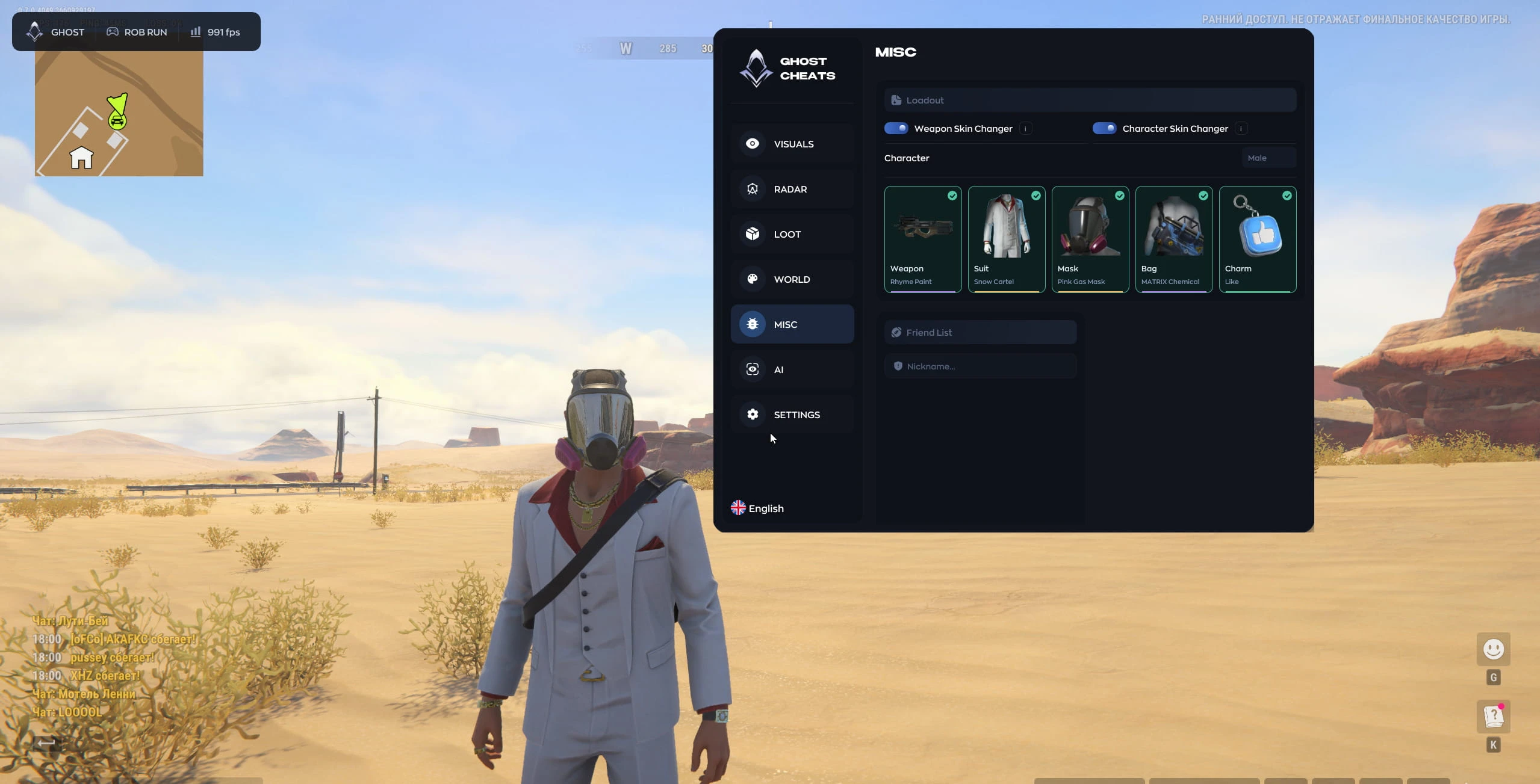
- Friends list with distances
- Container highlighting
- Bag highlighting
- Cargo highlighting
- Loot spawn point markers
- Dropped cash highlighting
- Security camera highlighting
- Create configs
- Delete configs
- Save settings to a config
- Load a config
- Export a config to a file
- Import a config from a file
- Product watermark
- Pressed-key indicator
- Interface text shadow
- Hide menu from screen capture
- Combat mode to hide menu with a hotkey
- Custom crosshair
- Vertical sync
- High-performance menu mode
- Menu toggle key
- Menu DPI scaling
- Built-in AI assistant for questions and menu guidance
- Supported game version: Steam
- Supported game mode: Borderles, windowed
- Supported Windows: 10&11 x64, versions (2004 / 20H2 / 21H1 / 21H2 / 22H2 / 23H2 / 24H2 / 25H2 / 26H1 / 26H2) you can check your build by following the instructions HERE.
- Supported anti-cheat: In-game anti-cheat
- Supported processors: Intel and AMD
- Support invisibility on video or screenshots: Yes
YOU MIGHT ALSO LIKE
Reviews for Ghost ESP [Rob Run]
No reviews yet. Be the first!